Budget
Last updated: 2023.4.14
While construction is under way, you can set a budget to reach appropriate profit and performance targets, and manage construction costs by recording the actual spending against it.
Write a budget
- You can write a budget in the BoQ management > Budget menu.
- Click the [Create a budget management] button.

- Select a project, then enter the budget name.

- Click the [Import the contract item / Call the project process] button, check the items to include in the budget, and click the [Confirm] button.
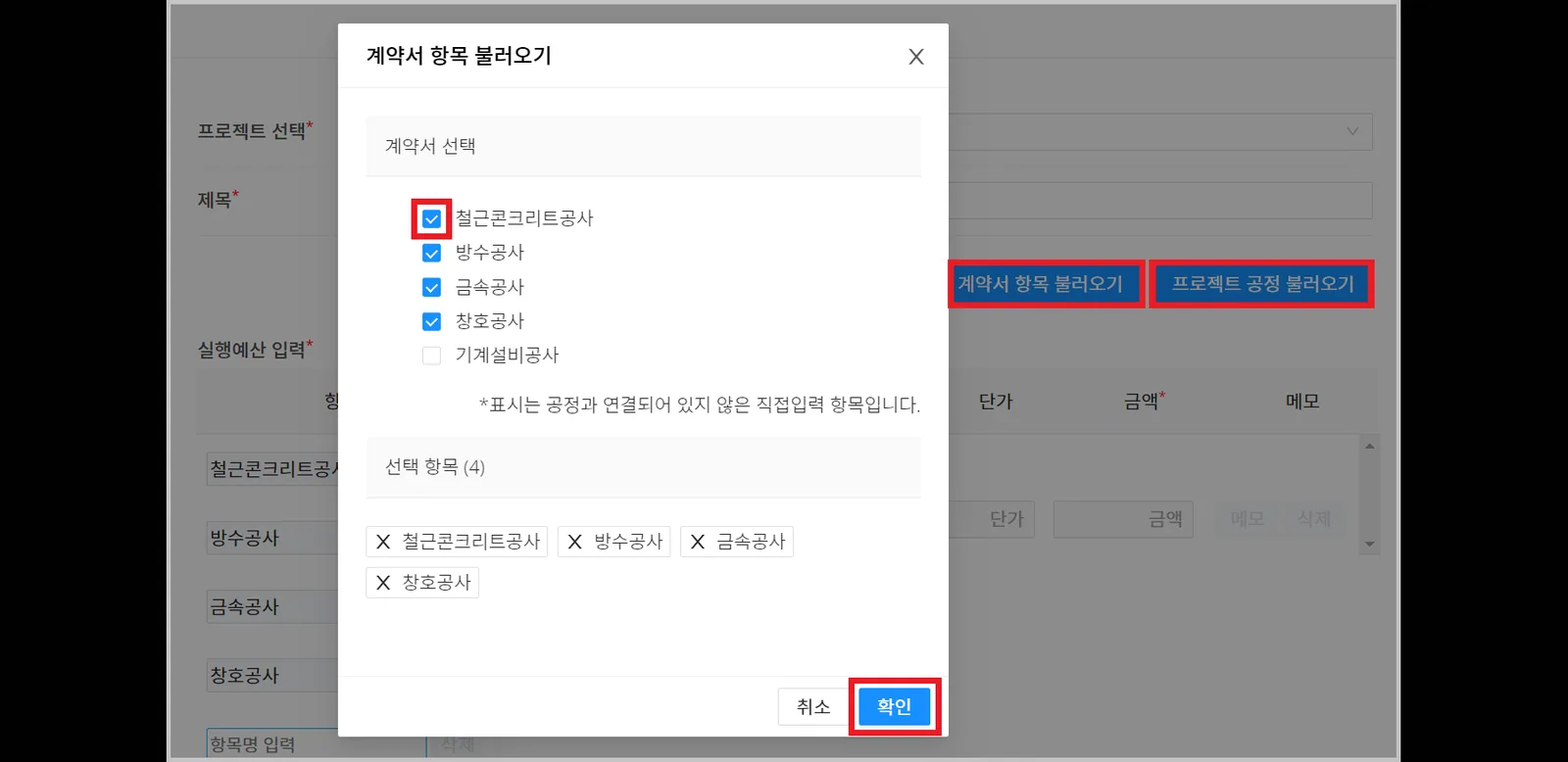
Why load processes to write the budget?
CaasWorks records data around processes. The recorded data is used to analyze process efficiency and work out improvements.
- Enter the details for each item.
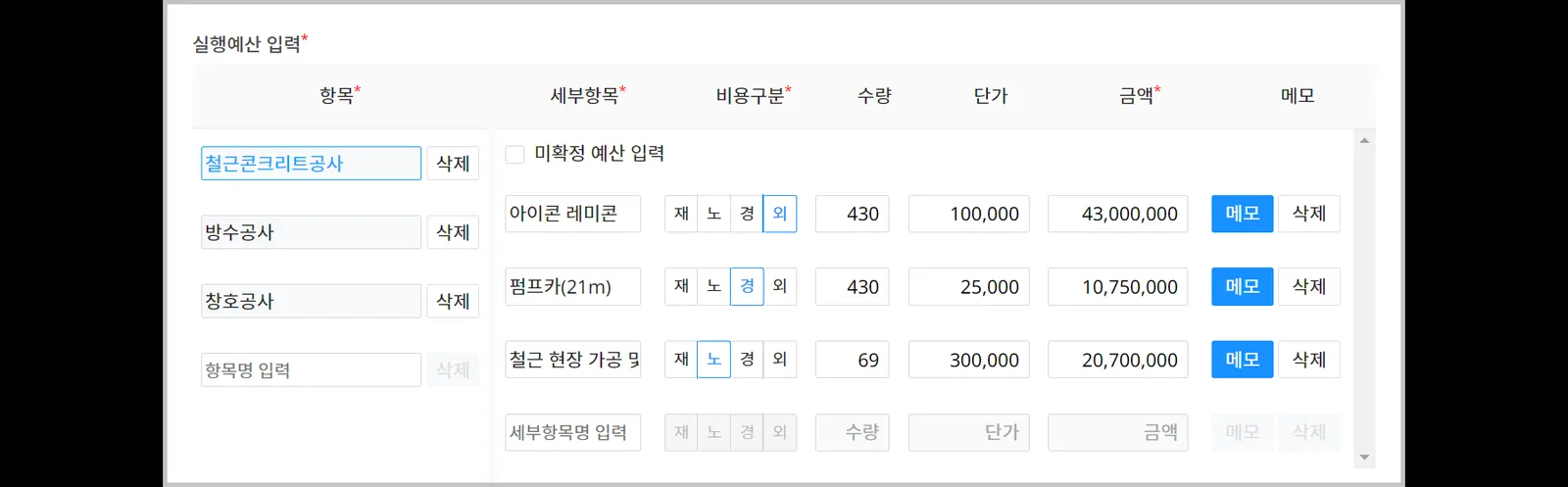
- Attach the budget statement, then click the [Budget confirmation] button.
You can still edit the budget after it is confirmed. (You can adjust the budget in response to variables such as design changes, changes in contract terms, or additional work.)
⚠️ However, budget items that have BoQ history cannot be deleted.

Use the Save (draft) feature.
Only the author can view a saved draft. If you stop while writing, what you wrote so far is saved, and you can continue writing later.