Contracts and Invoices
Subcontractor interim certificates
Last updated: 2023.4.14
You can manage the interim payments paid based on the construction contract between your company and a subcontractor. (Note that no contract is exchanged with the subcontractor. Think of it as a record your company keeps to manage the contract.)
You can claim interim payments only after the subcontractor agreement is registered.
Claim a subcontractor interim payment
- You can write a subcontractor interim certificate in the Contracts and Invoices > Subcontractor interim certificates menu.
- Click the [Create Bill] button.

- Select the subcontractor agreement to write the certificate for.

- Enter the basic information.

| Item | Description |
|---|---|
| ① Billing name | Enter the billing name Recommended) Write it so that the claim round can be told apart |
| ② Actual Claim Date | Select the date actually claimed ※ If not selected, the date the certificate was written is used |
- Enter the details to pay this time.
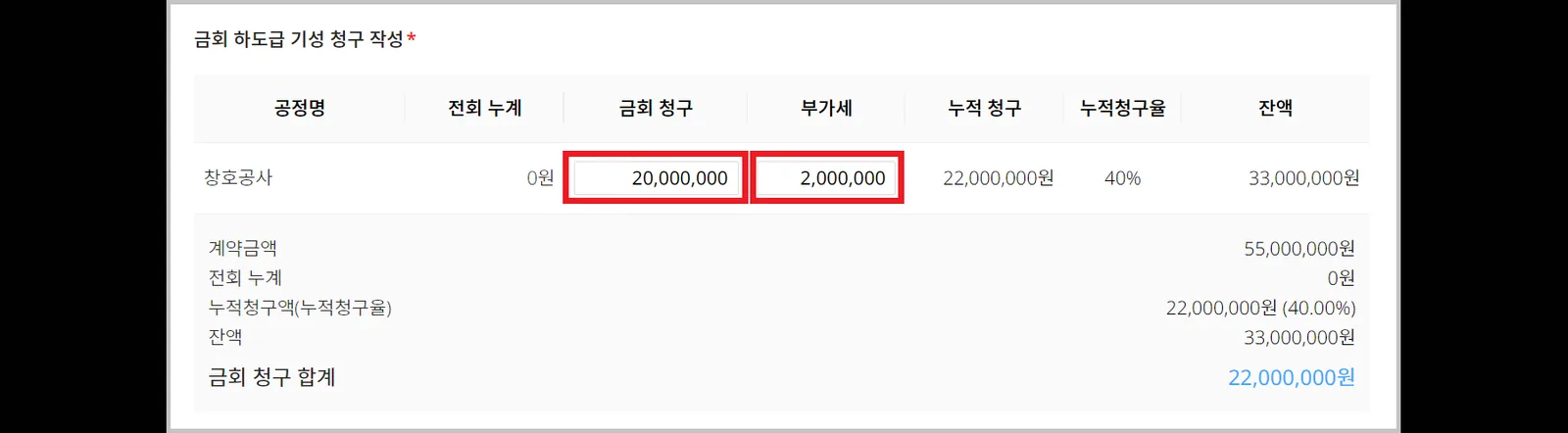
- If you received an invoice from the subcontractor, attach it.

- Click the [Confirm] button.
Once the certificate is confirmed, it can no longer be edited.

Use the Save (draft) feature.
Only the author can view a saved draft. If you stop while writing, what you wrote so far is saved, and you can continue writing later.