BoQ management
BoQ
Last updated: 2023.4.14
You can manage construction costs by recording the actual spending against the budget.
You can record BoQ entries only after a budget is registered.
Write a BoQ entry
- You can write a BoQ entry in the BoQ management > BoQ menu.
- Click the [Writing execution] button.

- Select the budget to write the BoQ entry for.

- Enter the BoQ details.
There are three ways to write a BoQ entry. Choose the one that fits each case.
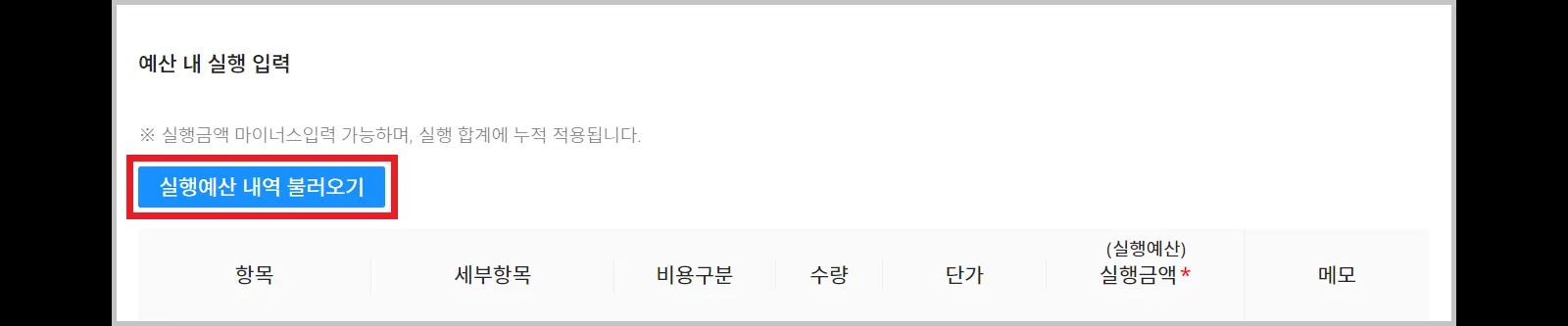
Write this when spending occurs on an item in the budget.
3-1. Click the [Implementing the execution budget details] button.
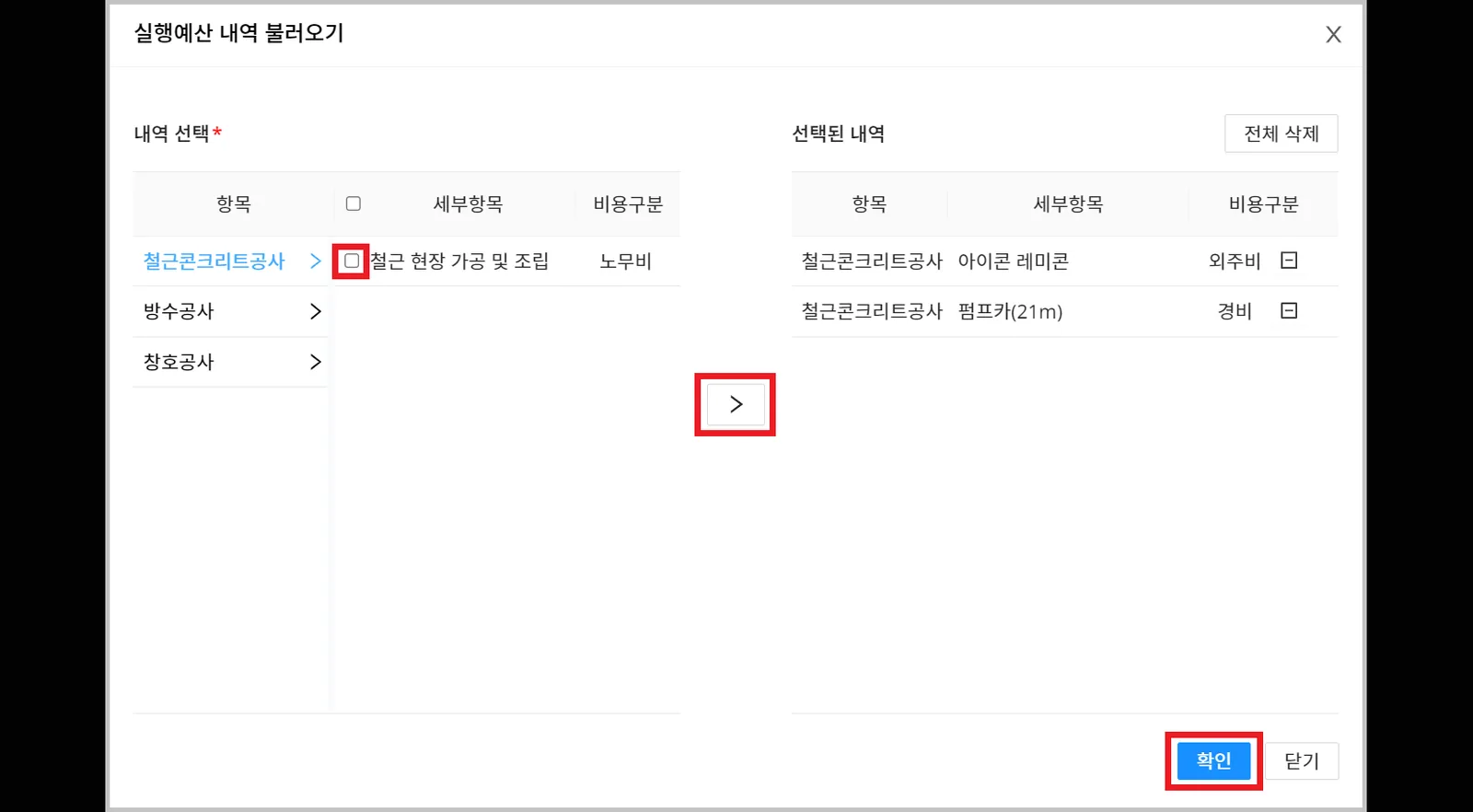
3-2. Check the budget details to load, then click the [Confirm] button.
3-3. Enter the BoQ details.

- Click the [Writing execution] button.
A BoQ entry cannot be deleted once submitted, so review it carefully before submitting.
