Smart Commute
Last updated: 2023.4.14
Post QR codes on site to manage workers' commute records.
Ordering Smart Commute
- You can order the product from the Smart Solution > Products menu. Go to order Smart Commute ➡️
- Click the Smart Commute product.

- Select a project, then click the [Product order] button.

Checking commute records
- You can check workers' commute records in the Smart Solution > Purchase history menu.
- Click the 'Smart Commute' purchase history entry.

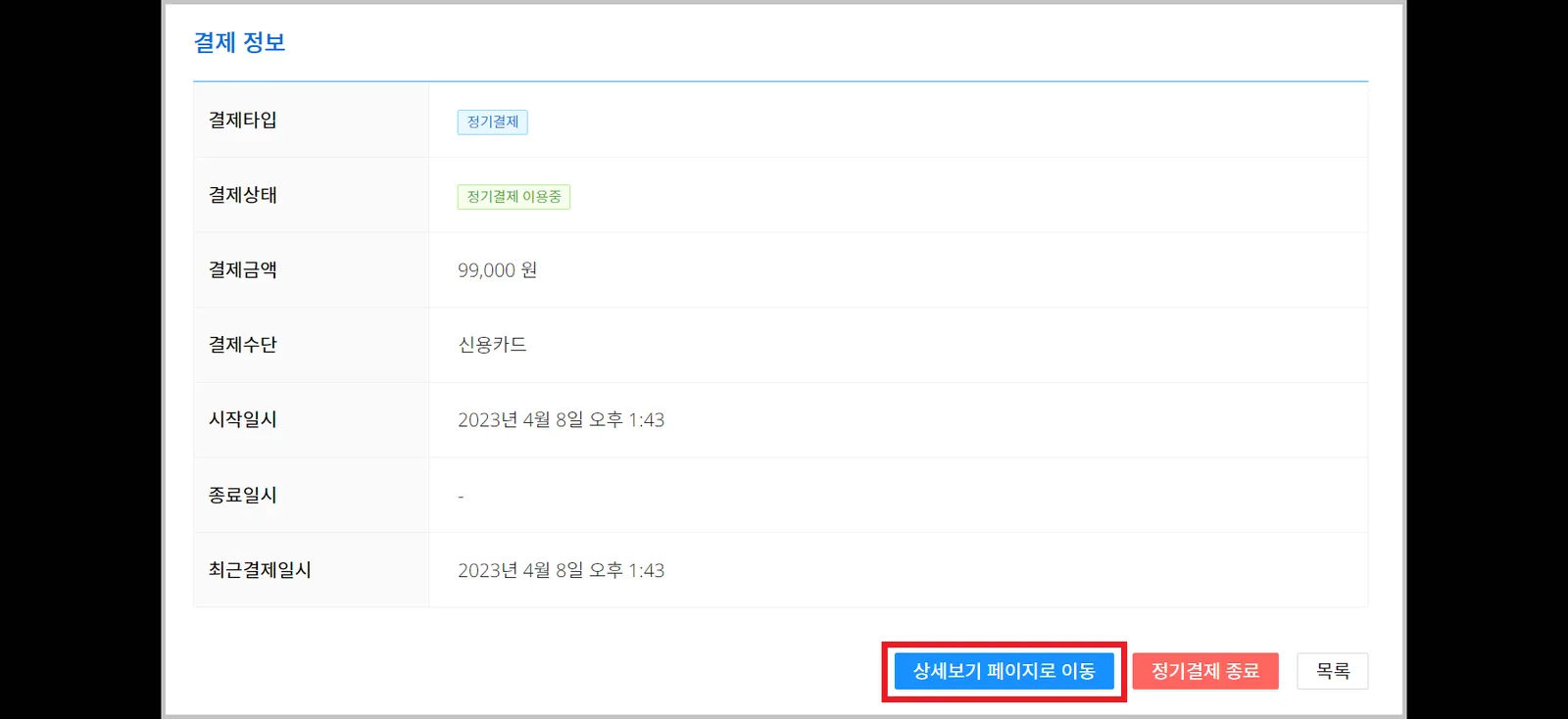
- Click the [Go to the detailed view page] button at the bottom of the page.
- In the detailed view, you can see workers' commute times and photos.
Using GPS coordinates, a check-in or check-out made more than a set distance from the site is recorded as an irregular commute.
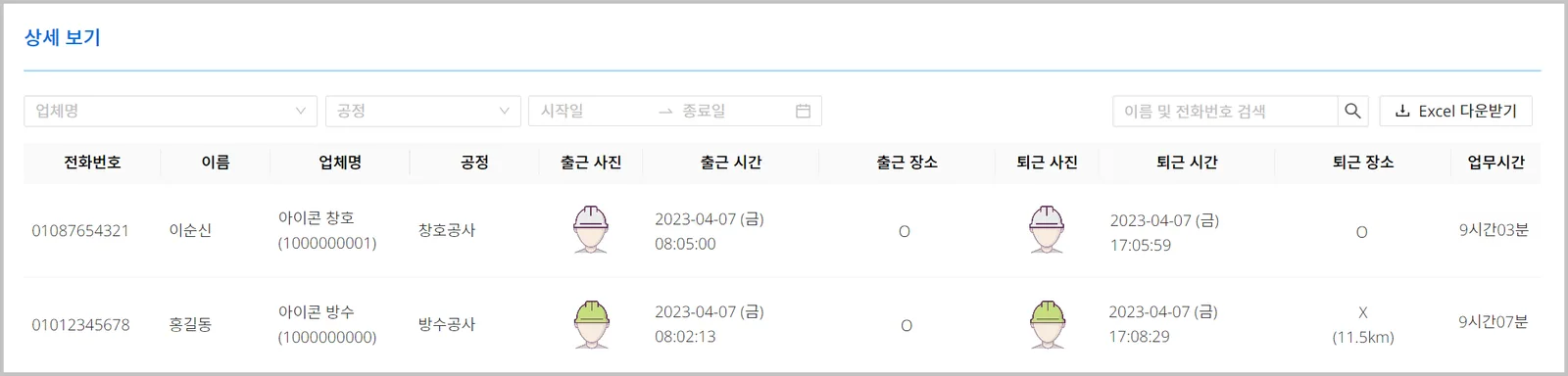
Set filters and search terms for the conditions you want, then click the [Download Excel] button to download.