Quotation
Send
- To send the quotation you wrote to the customer, click the [Send] button.
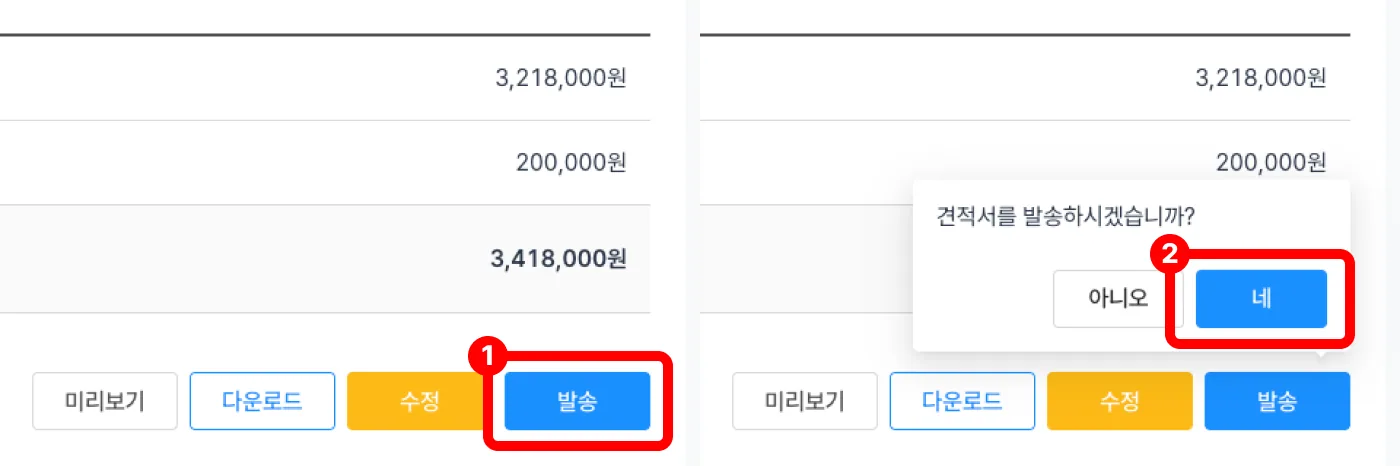
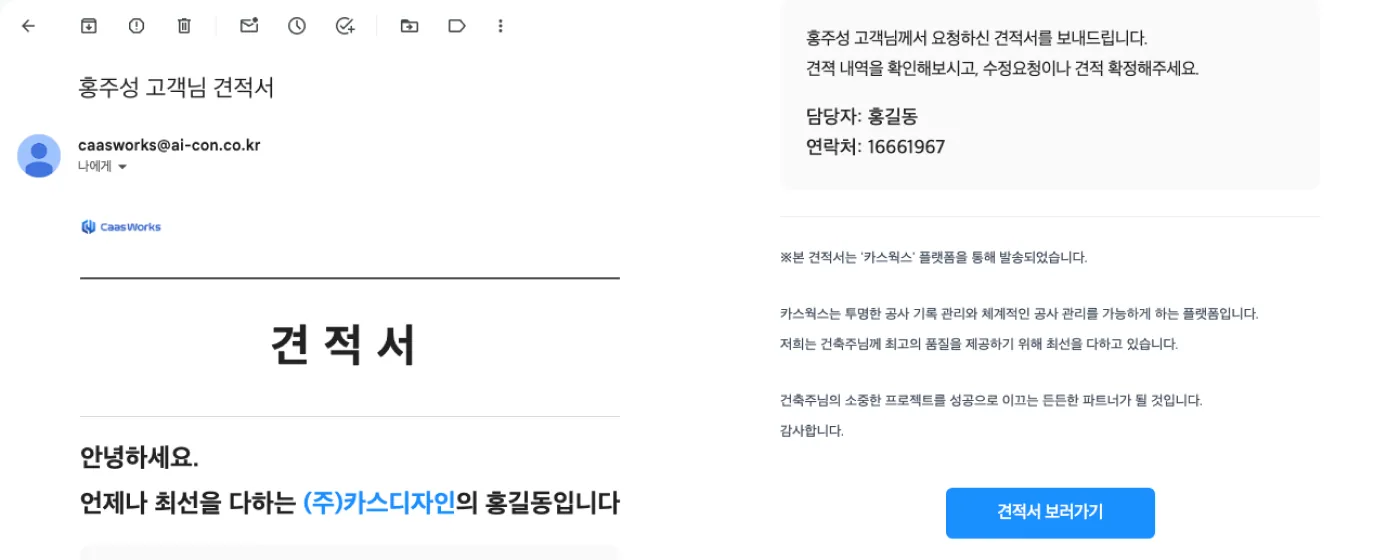
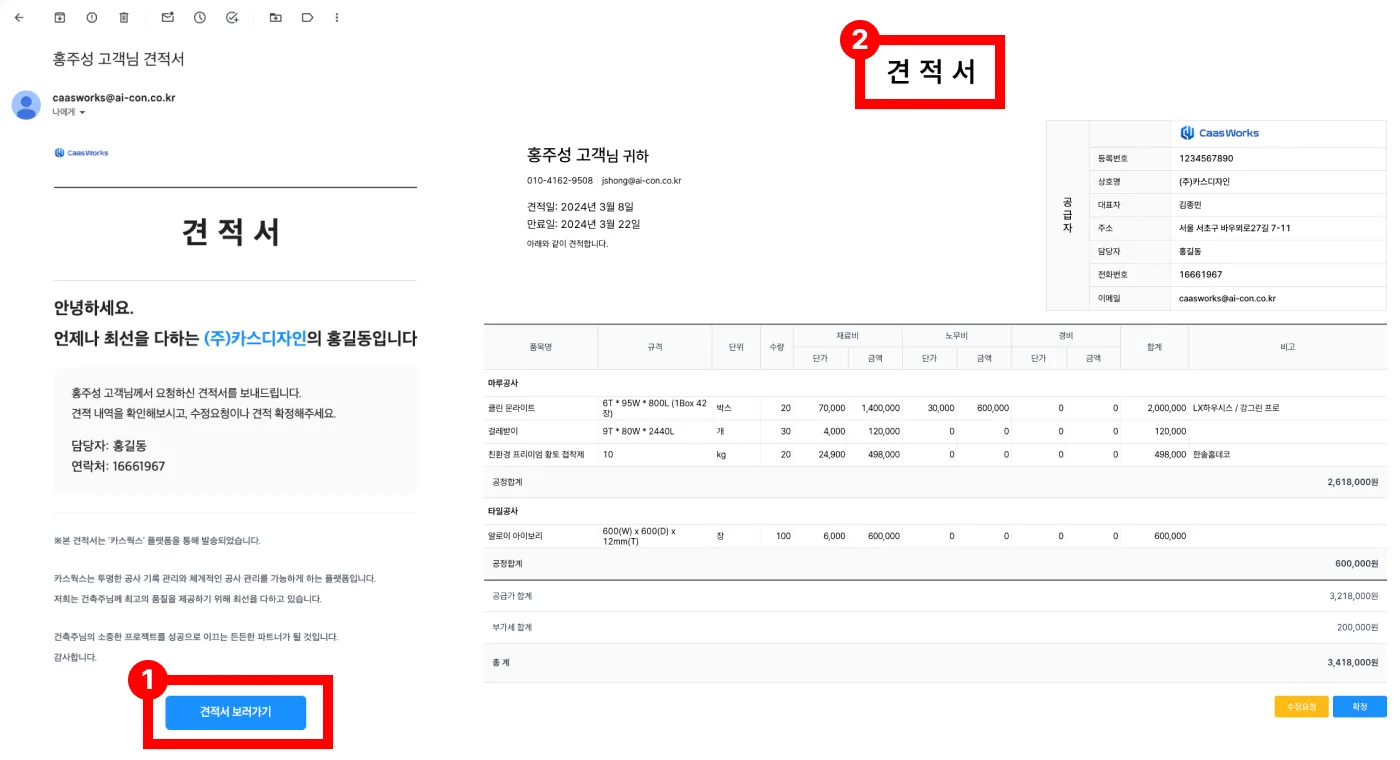
- The quotation is sent to the customer by KakaoTalk notification or email.
KakaoTalk notification
- The quotation is sent as a KakaoTalk notification to the mobile number entered when writing the quotation.
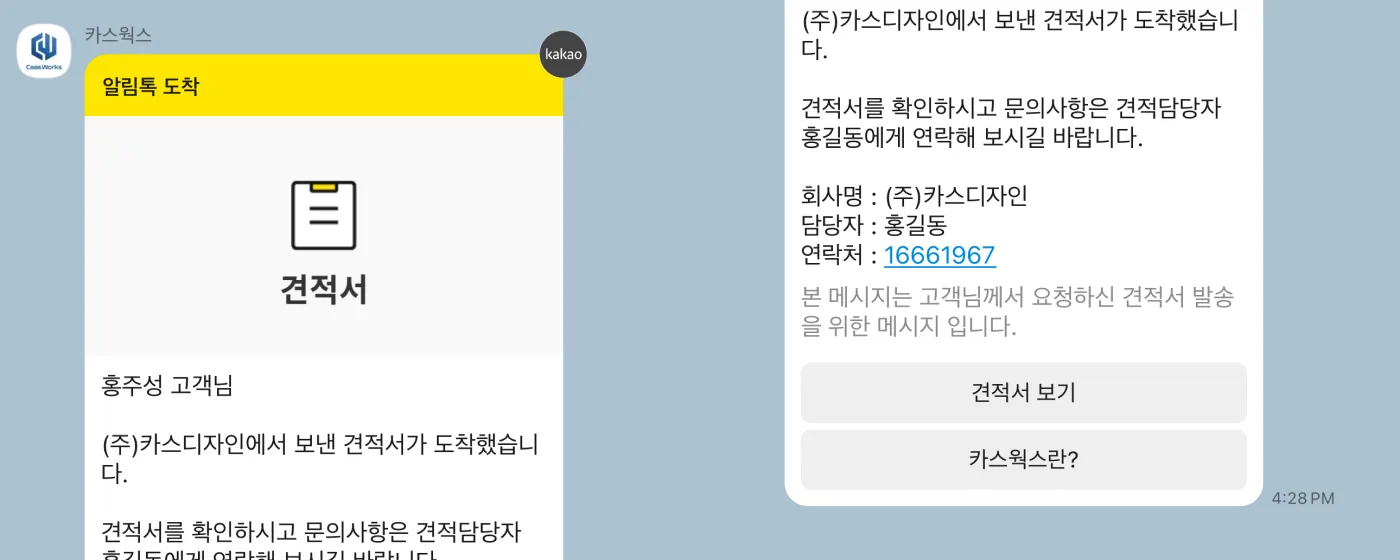
- Click the [View quotation] button to see the quotation.
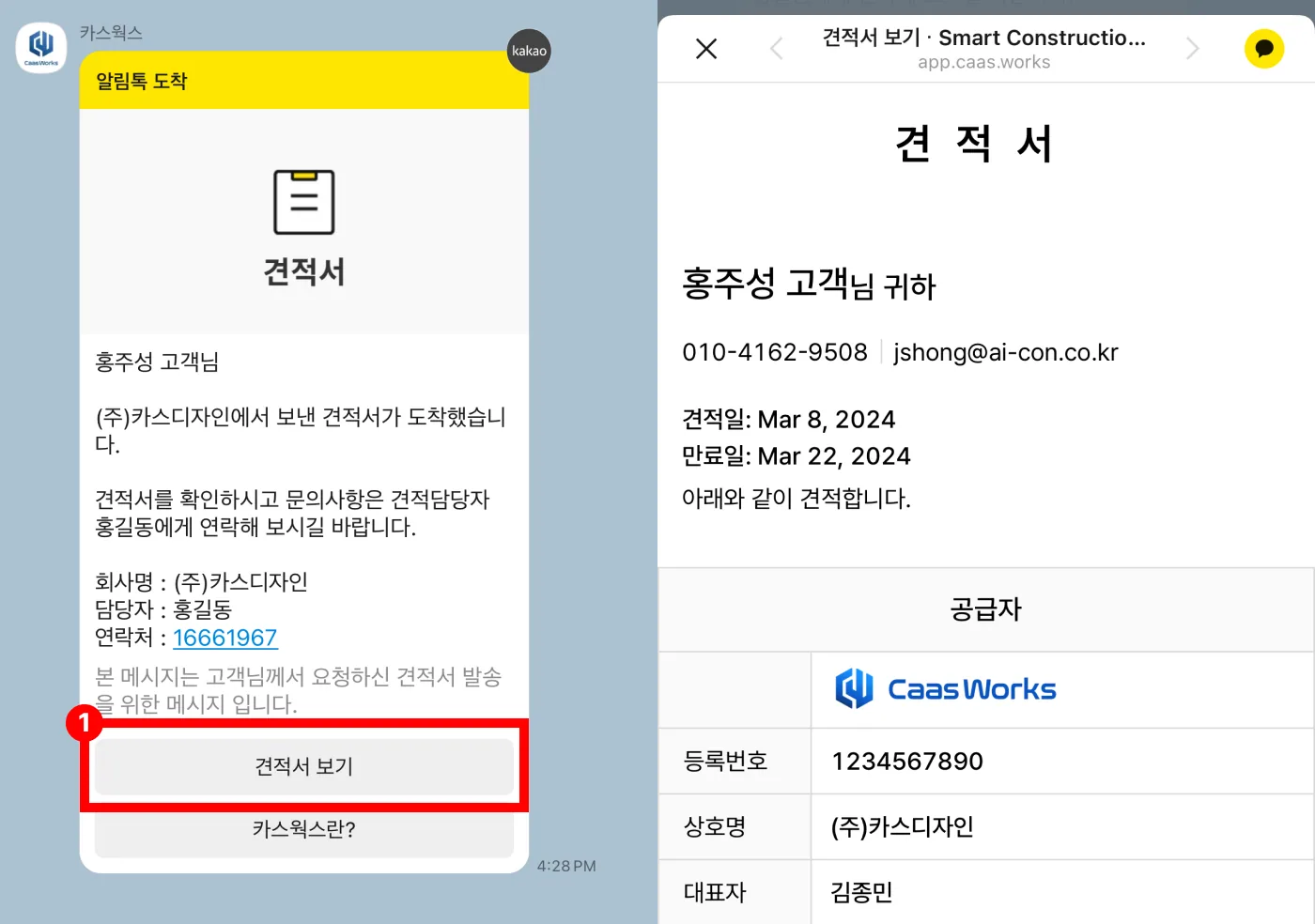
- The quotation is sent as a KakaoTalk notification to the mobile number entered when writing the quotation.
- Click the [View quotation] button to see the quotation.
To see the guides on confirming a quotation or requesting a revision, click a menu button below.