Contracts and Invoices
Application for interim payment
Last updated: 2023.4.14
You can claim interim payments from the client based on a signed construction contract and keep a record of your claims.
You can claim interim payments only after the construction contract is signed.
Claim an interim payment
- You can write an application for interim payment in the Contracts and Invoices > Application for interim payment menu.
- Click the [Write a bill] button.

- Select the construction contract to write the bill for.

- Enter the details to claim this time.
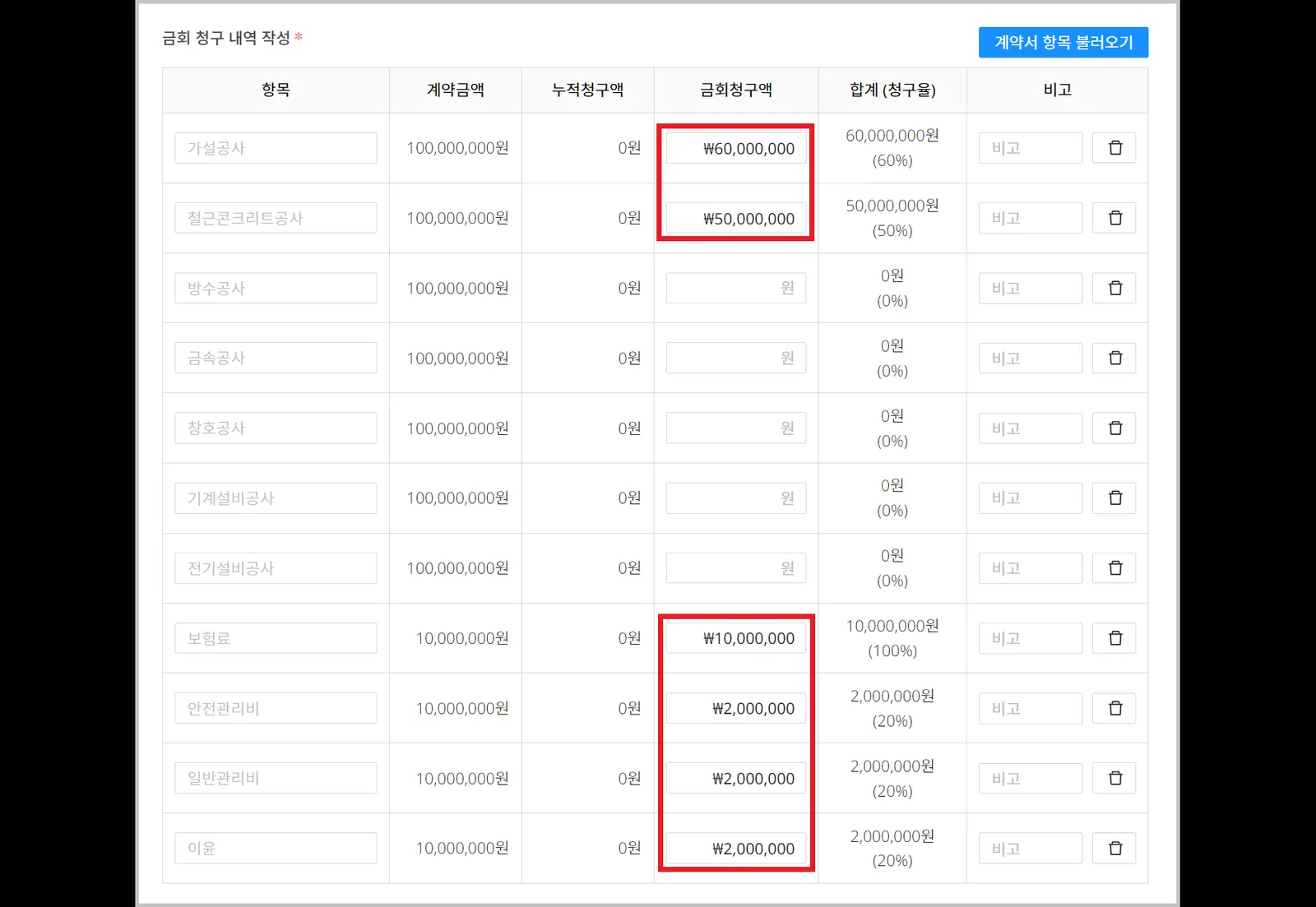
- Enter the basic information.
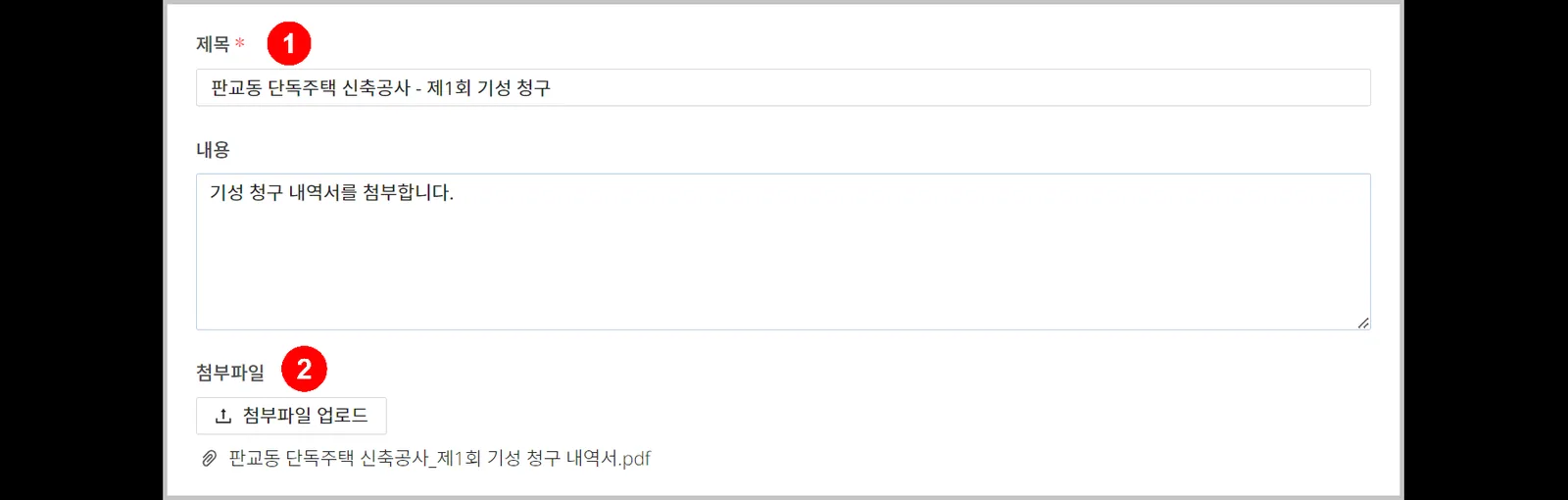
| Item | Description |
|---|---|
| ① Title | Enter the bill name ※ Write it so that the claim round can be told apart |
| ② Attachments | Upload the interim payment statement |
- Click the [Send contract bill] button, then click the [Yes] button.
When the bill is sent, the client is notified, and the bill can no longer be edited.

Use the Save (draft) feature.
Only the author can view a saved draft. If you stop while writing, what you wrote so far is saved, and you can continue writing later.
Interim payment claim statuses
| Status | Description |
|---|---|
| Ready | When you wrote the bill and clicked [Save bill] |
| Sent | When you wrote the bill and clicked [Send contract bill] |
| Received | When the client viewed the bill |
| Remittance complete | When the client clicked [Remittance complete] |
| Reject deposit | When the client clicked [Reject deposit] |
| Confirmation of payment | When the client clicked [Confirmation of payment] |