Contracts and Invoices
Subcontractor Agreements
Last updated: 2023.4.14
You sign a construction contract between your company and a subcontractor. (Note that no contract is exchanged with the subcontractor. Think of it as a record your company keeps to manage the contract.)
Write a subcontractor agreement
- You can write a subcontractor agreement in the Contracts and Invoices > Subcontractor Agreements menu.
- Click the [Writing] button.

- Enter the basic information.

| Item | Description |
|---|---|
| ① Project selection | Select which project the subcontract belongs to |
| ② Period | Select the period during which the work is carried out |
| ③ Contract title | Enter a contract title that reflects the content and purpose of the subcontract Example) Electrical equipment subcontract, piping subcontract |
- Enter the partner (subcontractor) information.
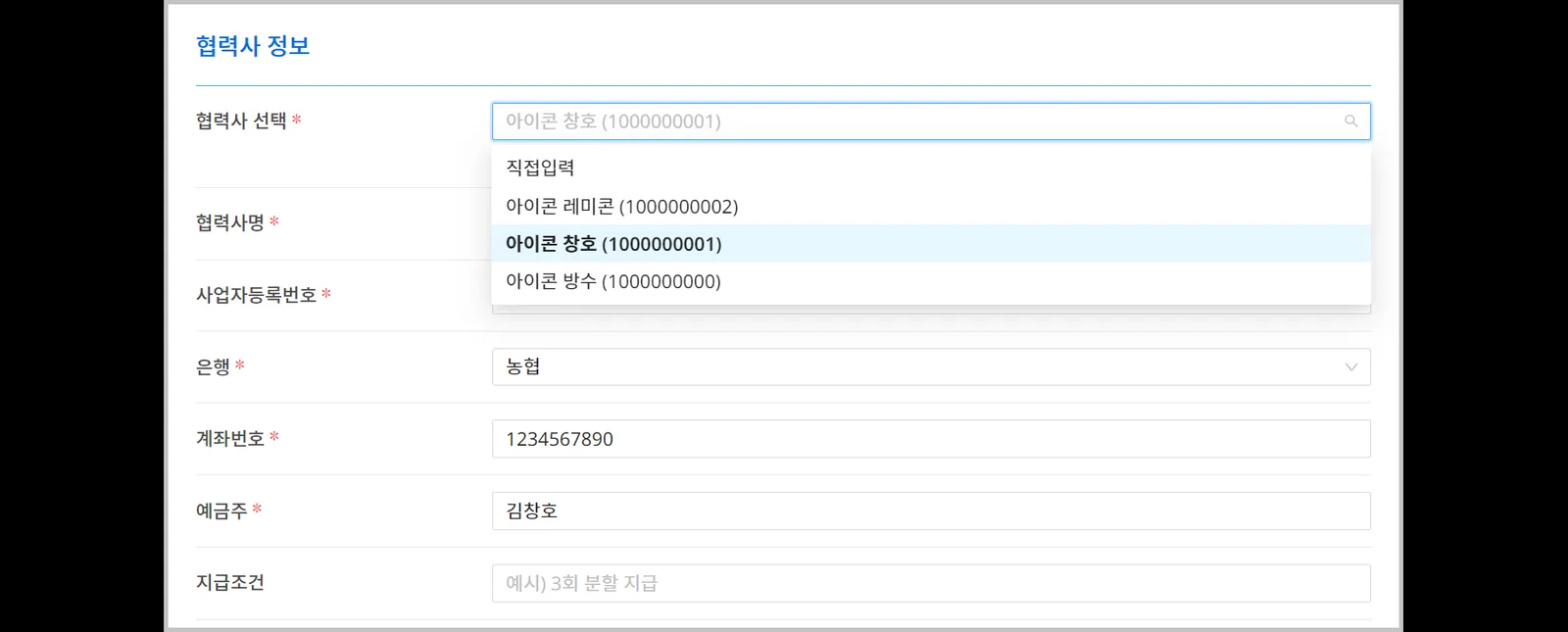
If you register partners in advance in the  menu, you can load them instead of entering them every time.
- Write the subcontract items by process.
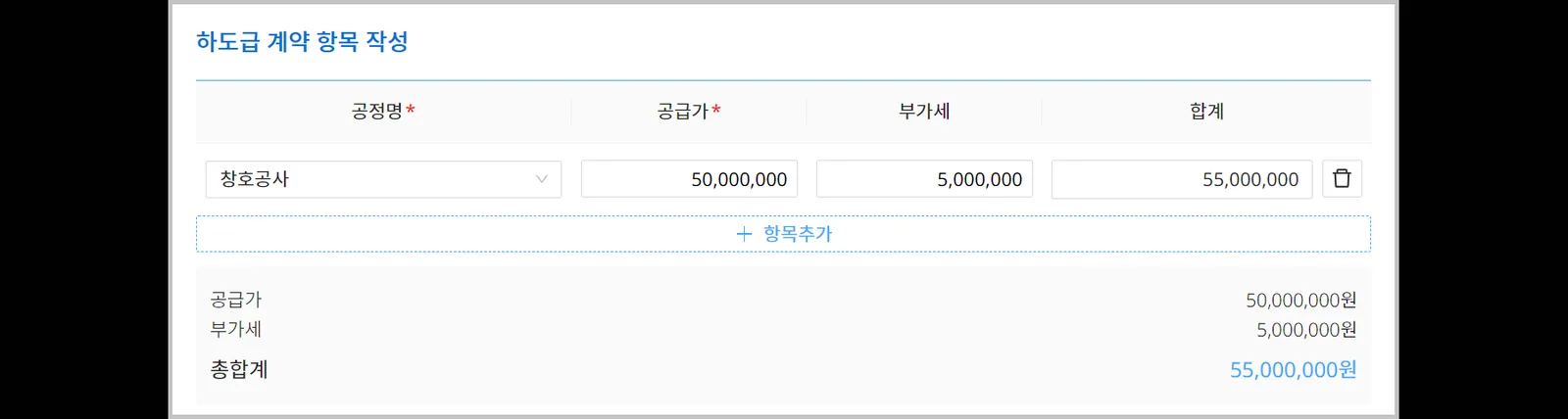
- Attach the subcontract statement.

- Click the [Confirm] button.
Even after the contract is confirmed, you can
it as long as there is no interim certificate for the contract.

Use the Save (draft) feature.
Only the author can view a saved draft. If you stop while writing, what you wrote so far is saved, and you can continue writing later.