Sign up with an invitation
Last updated: 2026.10.15
If you sign up from the link in the invitation email your company admin sent, you belong to the company right away with no approval step. You accept the invitation on the PC web.
Sign up from an invitation
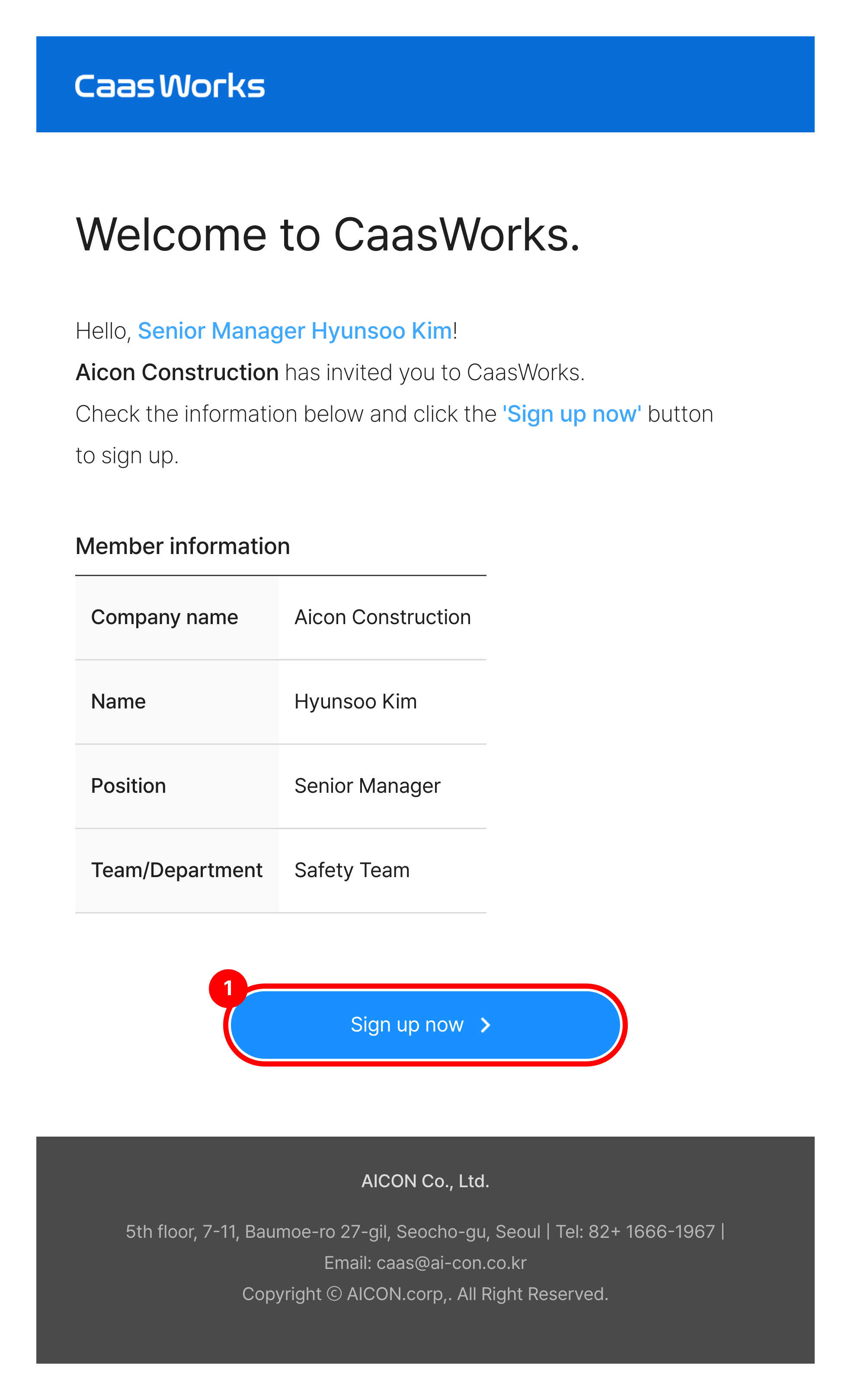
Open the invitation email and click [Sign up now].
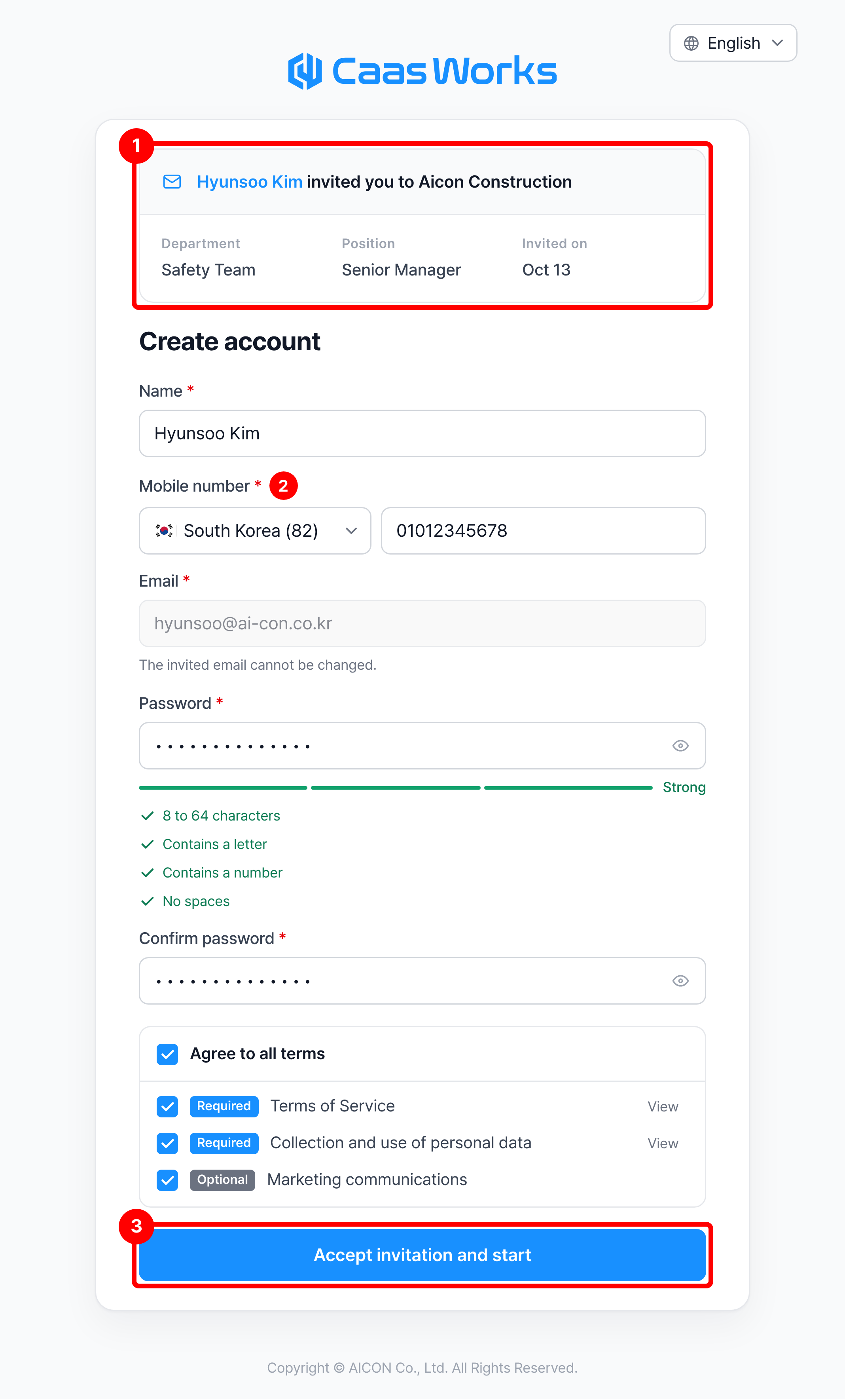
Check the invitation details and enter your mobile number and password. Agree to the terms and click [Accept invitation and start].
| Item | Description |
|---|---|
| ① Invitation details | Check the inviting company and the department, position, and date of the invitation |
| ② Mobile number | Select the country and enter the number in digits ※ The name is filled in with the value entered at invitation and can be changed ※ The email is fixed to the invited address |
| ③ Accept invitation and start | Creates the account and connects it to the company. When the connection is done, you go to the home screen |
If an account already exists for the invited email, the Sign in to accept screen appears instead of the sign-up form. Enter your password and click [Sign in and accept].
If clicking the link shows that the invitation link is not valid, the invitation was sent again. Use the link in the most recent email. If it shows that the invitation was cancelled, ask your company admin to invite you again, or follow Sign up on your own to send the company a join request.