Site Management
Create a project
Last updated: 2026.9.23
When a new job site starts, create a project to manage the construction schedule, share work reports, and send work requests. Managing work by project lets you collaborate more efficiently.
Create a project
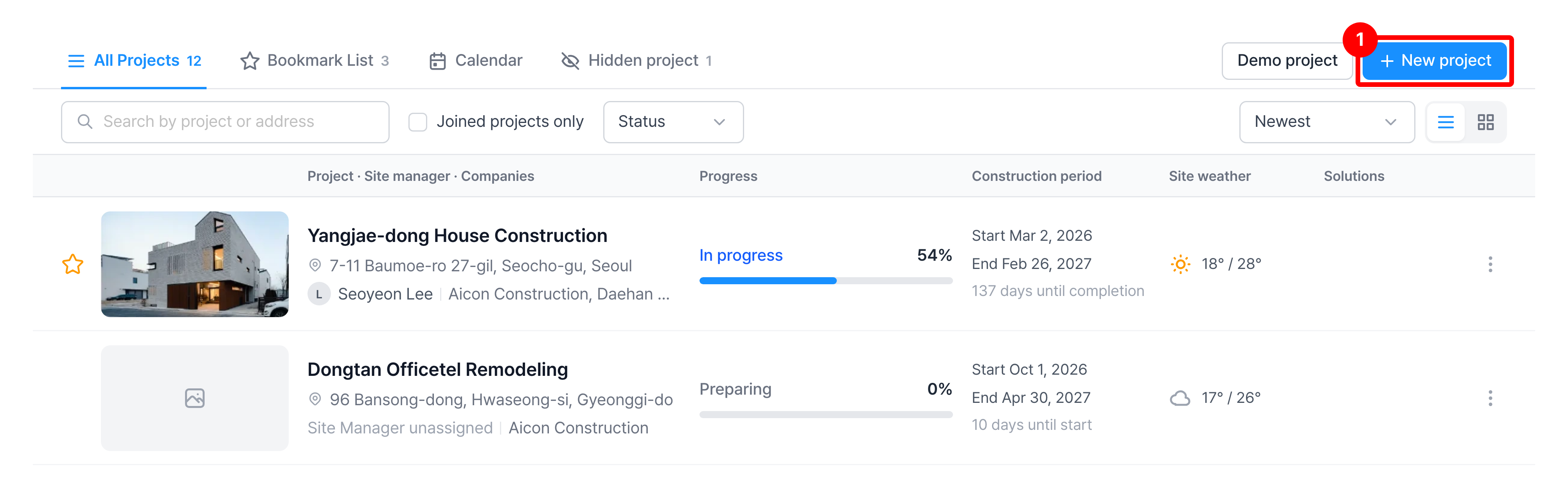
- You can create a project from the Project List menu.
Only an admin can create a project.
Click New project.
Enter the basic information.
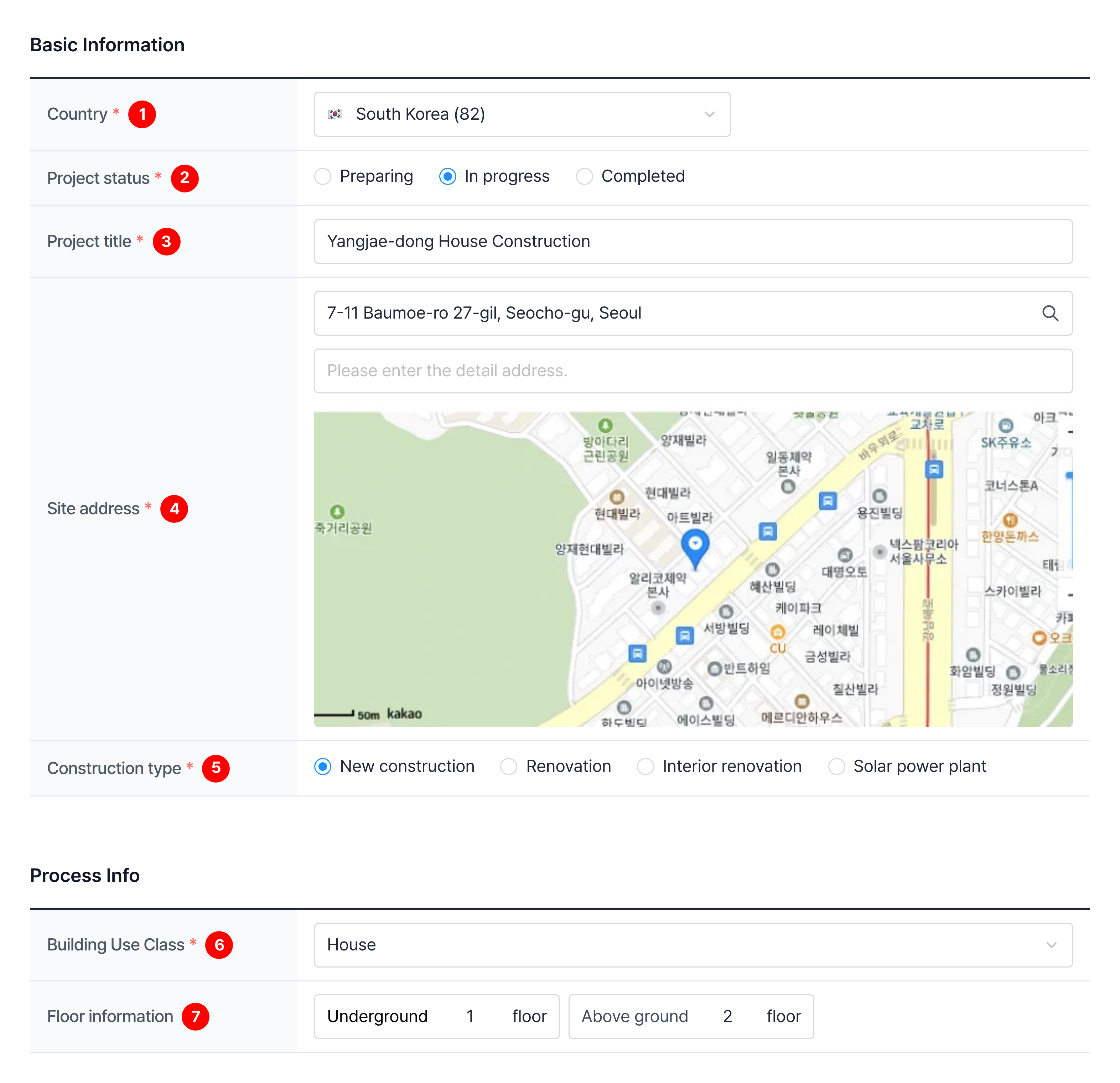
| Item | Description |
|---|---|
| ① Country | Select the country the project belongs to ※ The address search method and the available basic processes depend on the country |
| ② Project status | Select Preparing, In progress, or Completed |
| ③ Project title | Enter the name shown in the list and on the dashboard ※ The name you enter is filled in automatically as the supervision report serial number |
| ④ Site address | Search for and select the address, then enter the detail address ※ For projects in Korea, the selected location is shown on the map |
| ⑤ Construction type | Select New construction, Renovation, Interior renovation, or Solar power plant |
| ⑥ Building Use Class | Select the building use, such as house or apartment ※ Shown only when the construction type is New construction or Renovation |
| ⑦ Floor information | Enter the number of floors below and above ground |
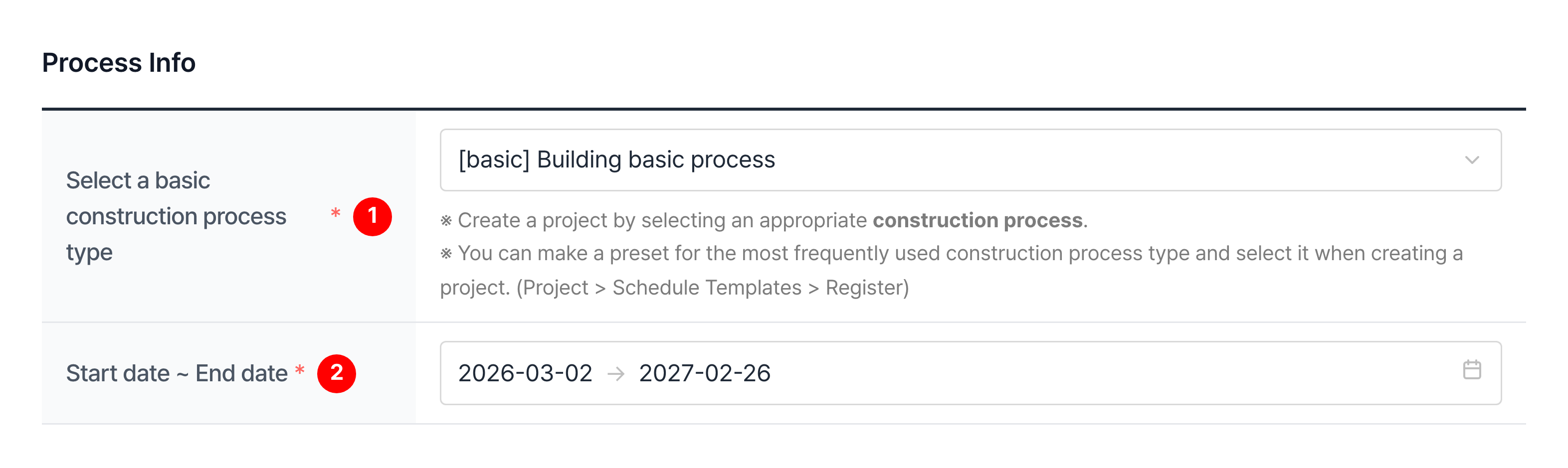
Enter the process information.
Select a basic construction process type
You can choose from the basic process sets provided by CaasWorks and the basic process sets your company has registered, and use the selection as the project's processes.
Enter the additional information, then click Add.
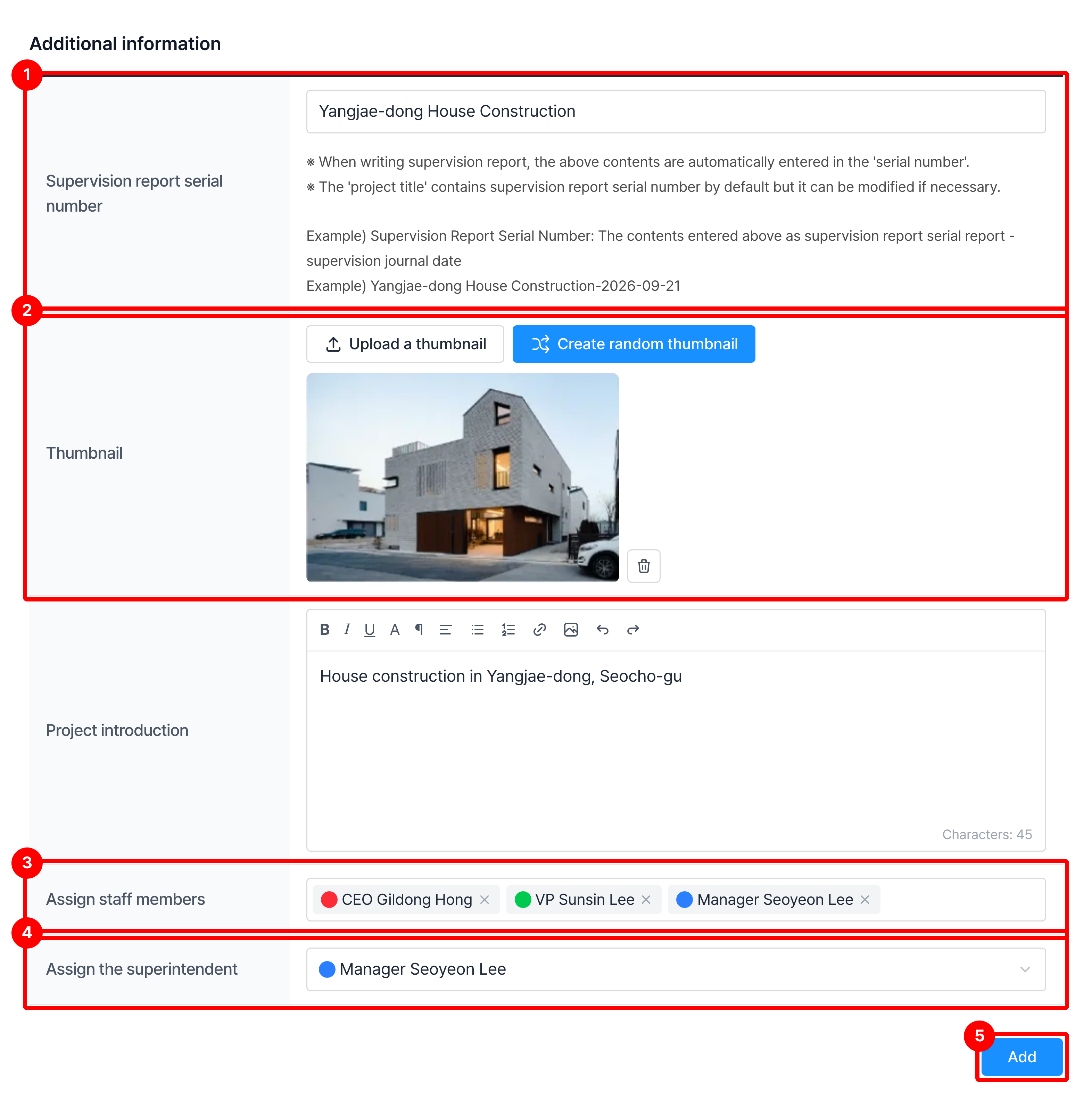
| Item | Description |
|---|---|
| ① Supervision report serial number | Enter the text to use as the supervision report serial number The default is the project title, and you can change it |
| ② Thumbnail | Upload the image shown as the thumbnail in the project list and on the dashboard Example) An exterior view of the building, a photo of a model |
| ③ Assign staff members | Select the employees who will join the project ※ The person who creates the project must join it ※ You can also assign employees after creation (Assign employees to a project ➡️) |
| ④ Assign the superintendent | Select the site manager who will write work reports ※ You can only choose from the employees selected in Assign staff members ※ You can change the site manager after creation |
| ⑤ Add | Creates the project with the information you entered |