Site Management
RFI
Last updated: 2023.4.14
Project members can assign work to each other, track its progress, and collaborate.
Request work
- In the Project > RFI menu, you can request work from project members.
- Click RFI.

- Write what you are requesting.
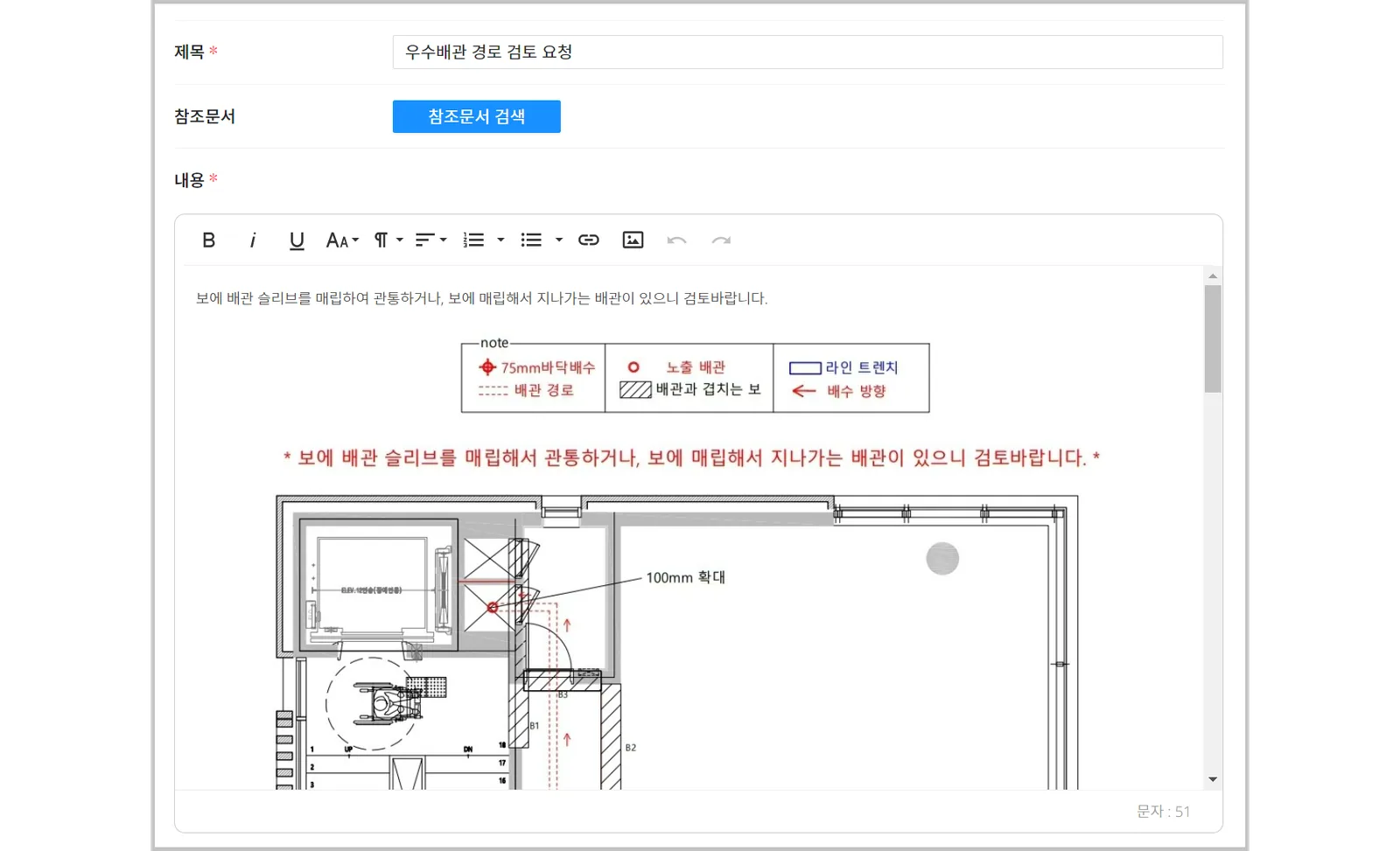
- Set the manager, due date, and other details, then click Add RFI.
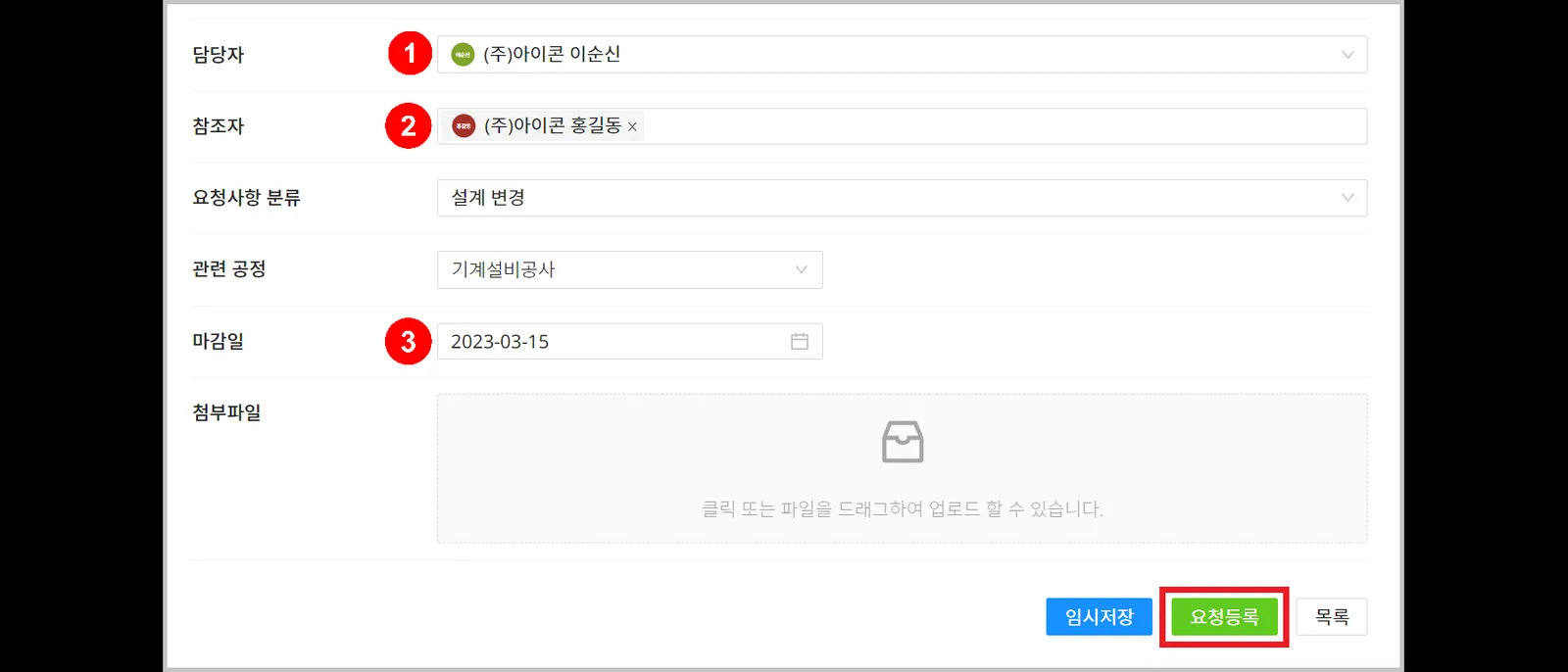
| Item | Description |
|---|---|
| ① Manager | Assign the manager who will handle the request ※ When the request is written, the manager and referrers are notified |
| ② Referrer | Specify people related to the request ※ When the request is written, the manager and referrers are notified |
| ③ Due date | Set the work deadline |
Handle work
- In the Project > RFI menu, you and the other managers at your company can review and handle work.
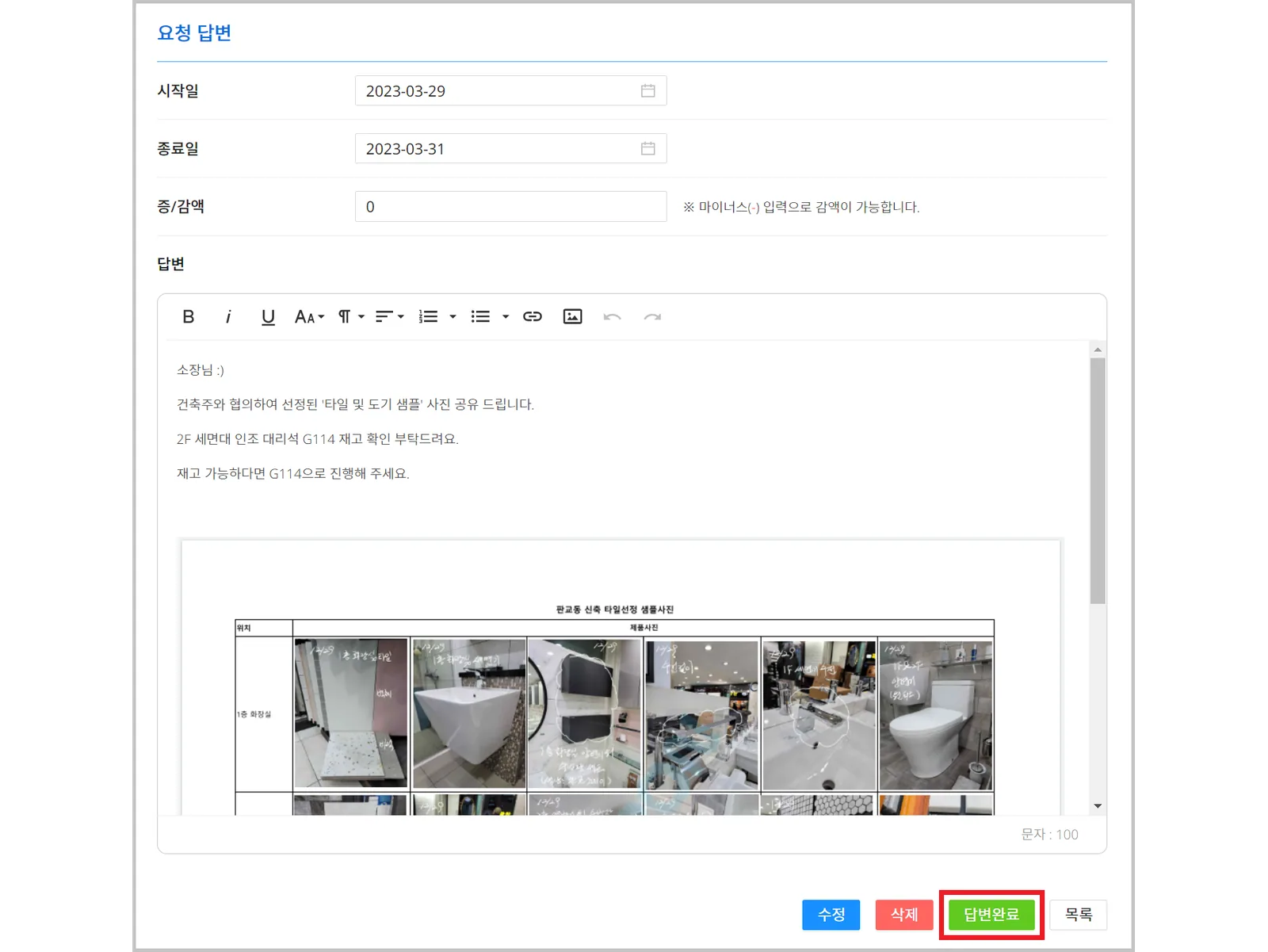
- Enter a response, then click Response.
- Change the status according to the progress of the work.
You can change the status by choosing a status option or by dragging and dropping.
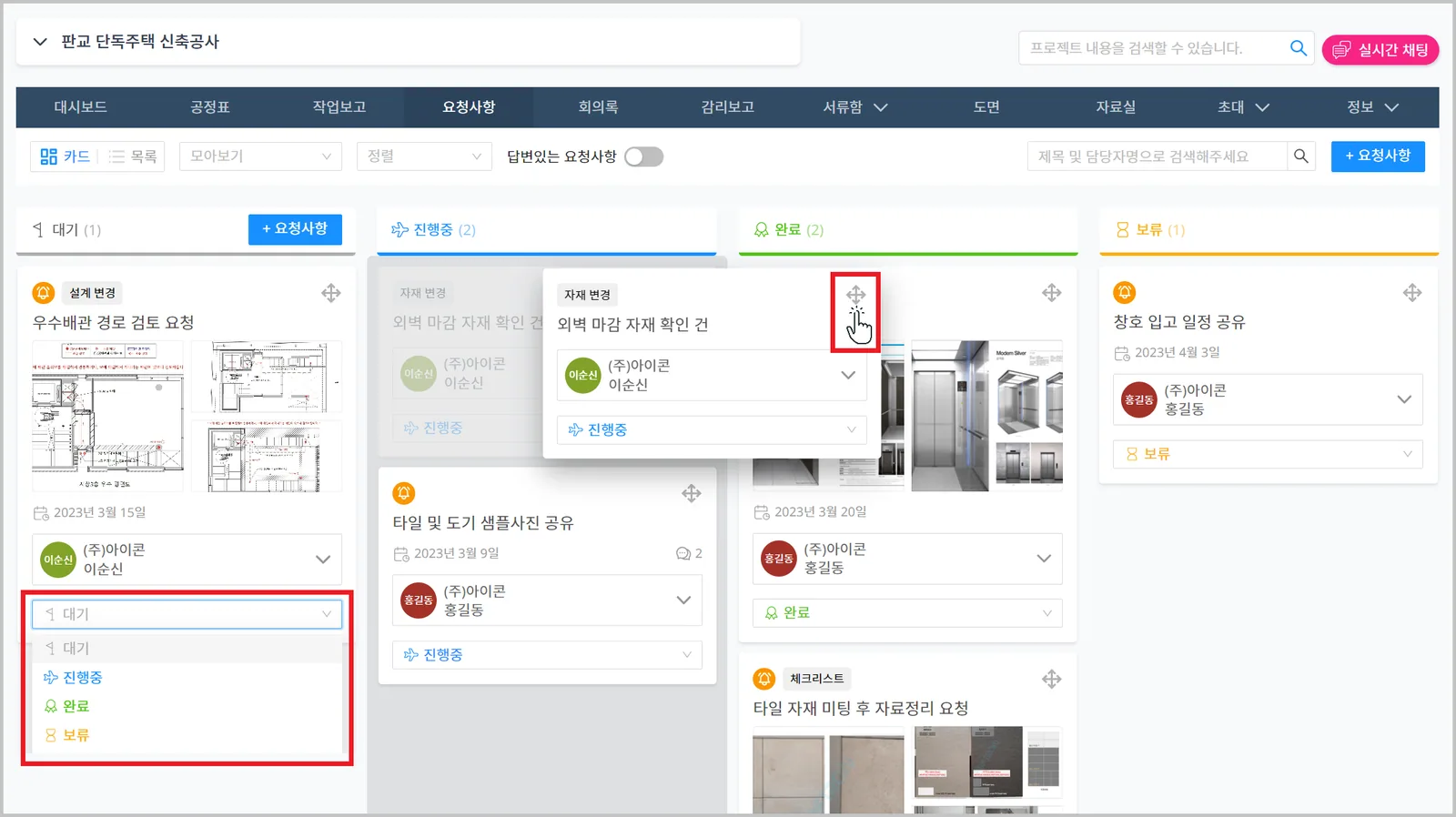
The requester, the manager, and any employee at the manager's company can change the status.