Real-time Site CCTV
Adjusting the CCTV angle
Last updated: 2023.11.22
Adjusting the CCTV angle
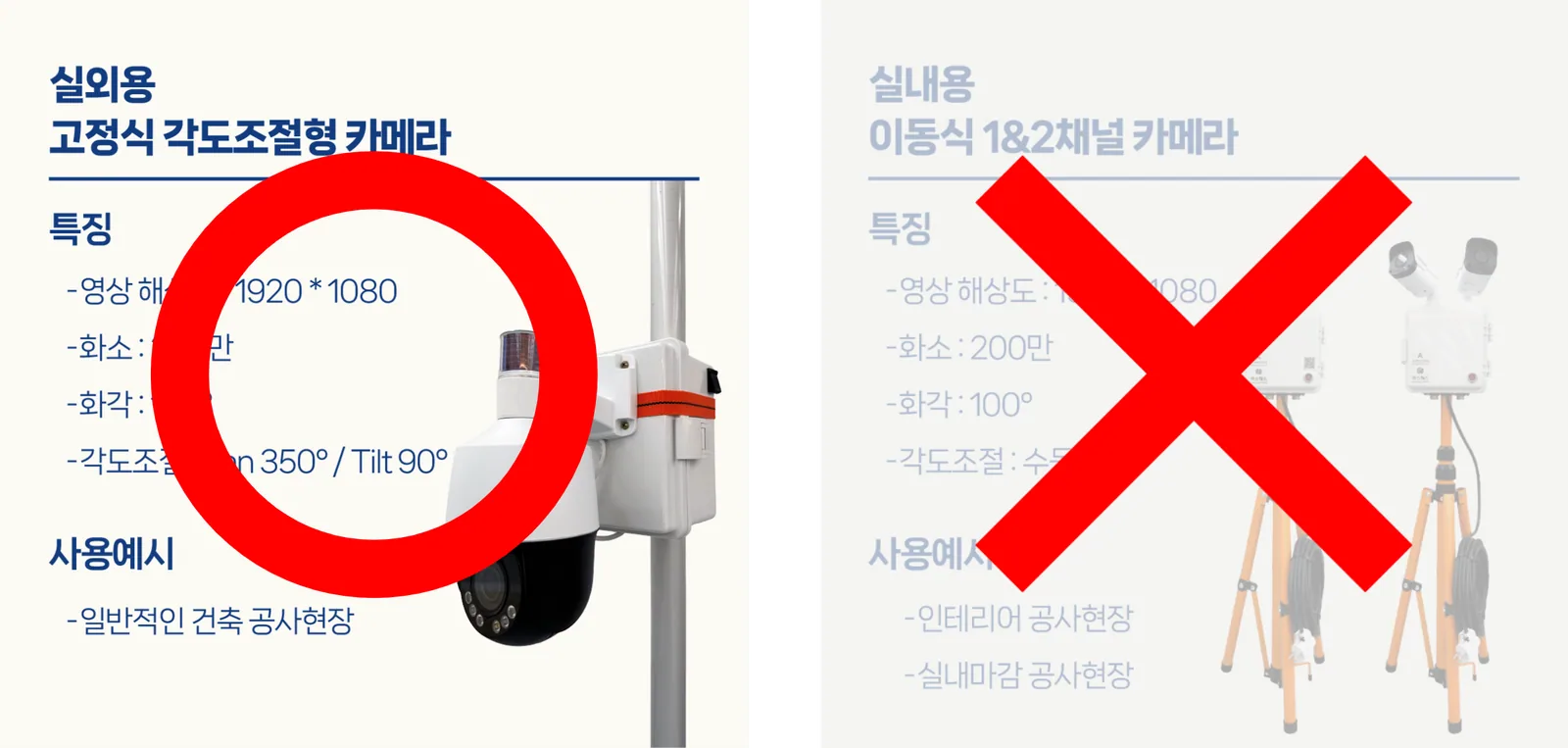
Only 'outdoor cameras' support angle adjustment.
In the Project > Real-time Site Monitoring menu, you can adjust the angle (up/down, left/right) and zoom (in/out) of site CCTVs.
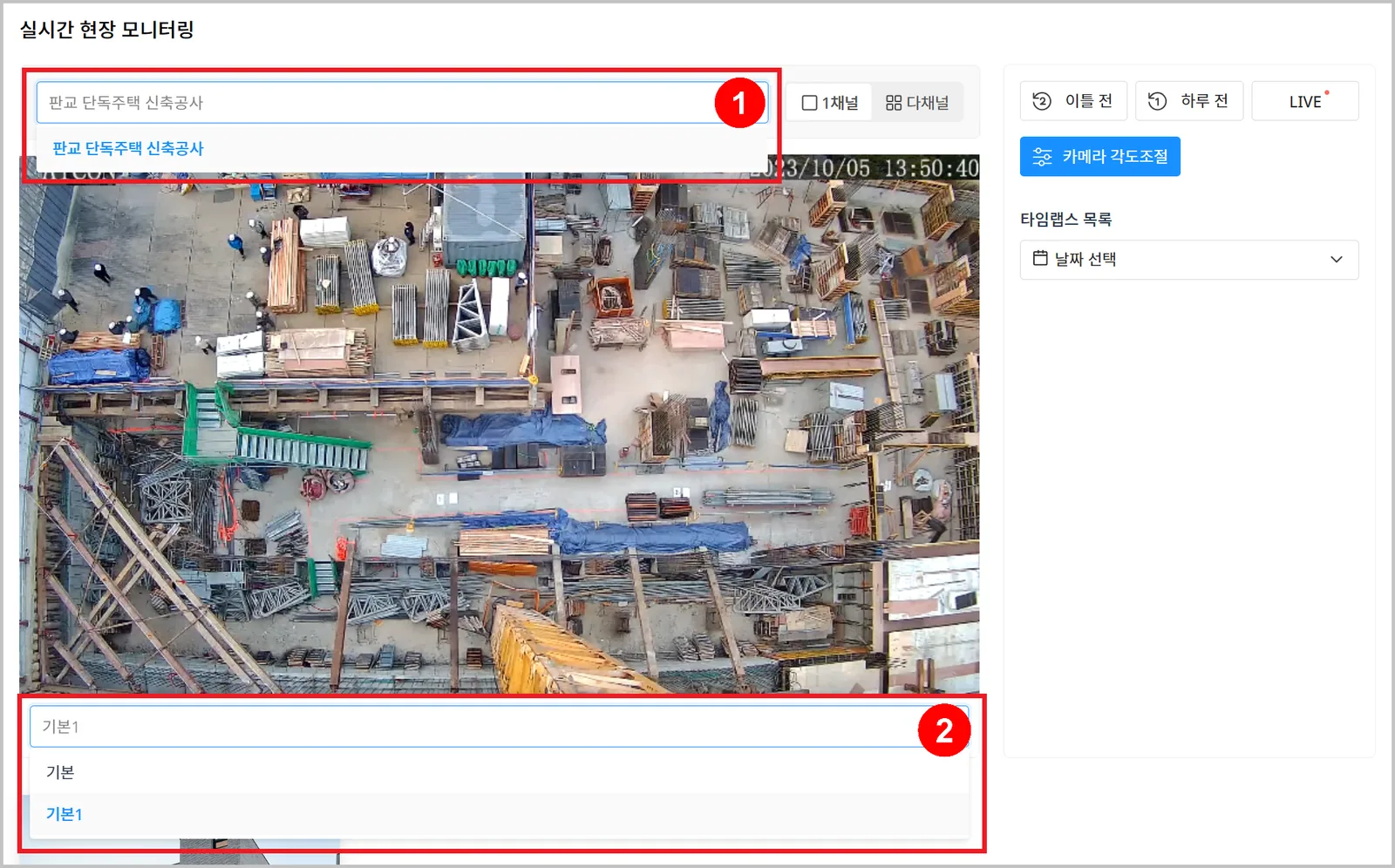
- First select the project of the camera to adjust, then select the camera.
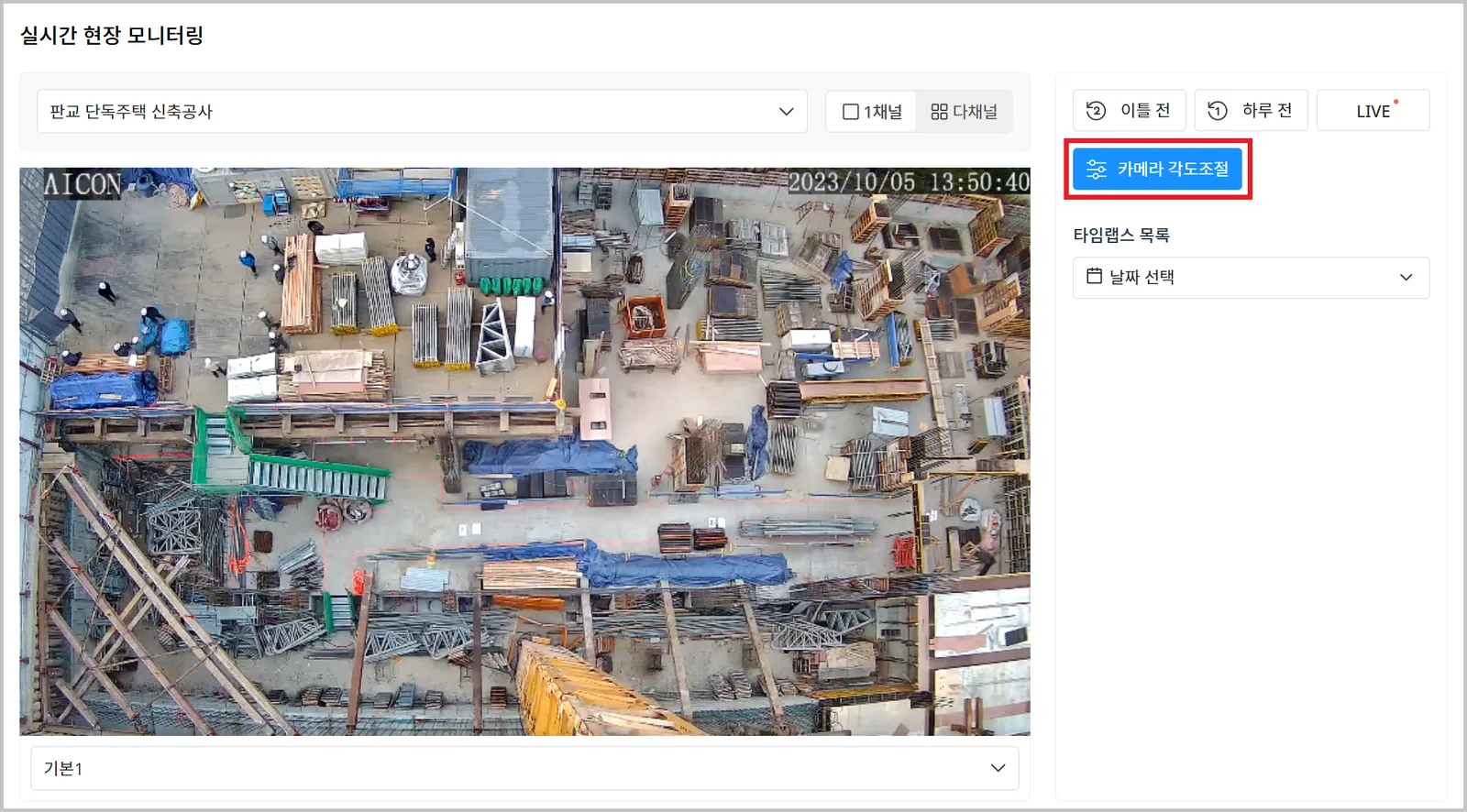
- Click the [Camera Angle Control] button.
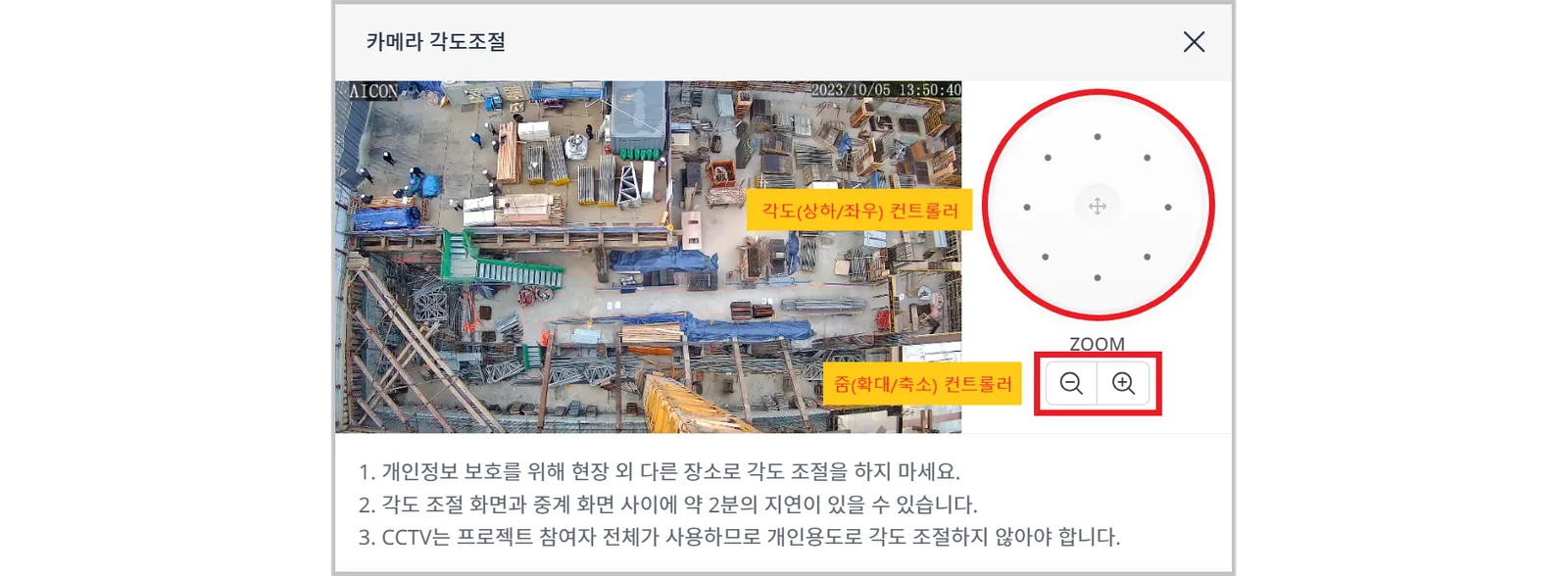
- Use the controller to set the angle (up/down, left/right) and zoom (in/out) you want.
The angle control popup responds immediately, but it takes about 2 minutes for the change to appear in the actual live view.