Real-time Site CCTV
CCTV management (for rental companies only)
Last updated: 2023.6.26
What is a rental company?
A company that rents CCTV for a set period. With the 'CCTV management' feature, users can connect CCTVs to projects and configure them on their own.
Rental company inquiries
:telephone_receiver:1666-1967
Connecting a CCTV to a project
- You can connect a CCTV to a project in the Smart Solution > CCTV management menu.
- Click the [Connection] button for the CCTV you want to connect to a project.
If the CCTV you want to connect is already
, first
that CCTV and then connect it.

- Set the connection information, then click the [Connection] button.
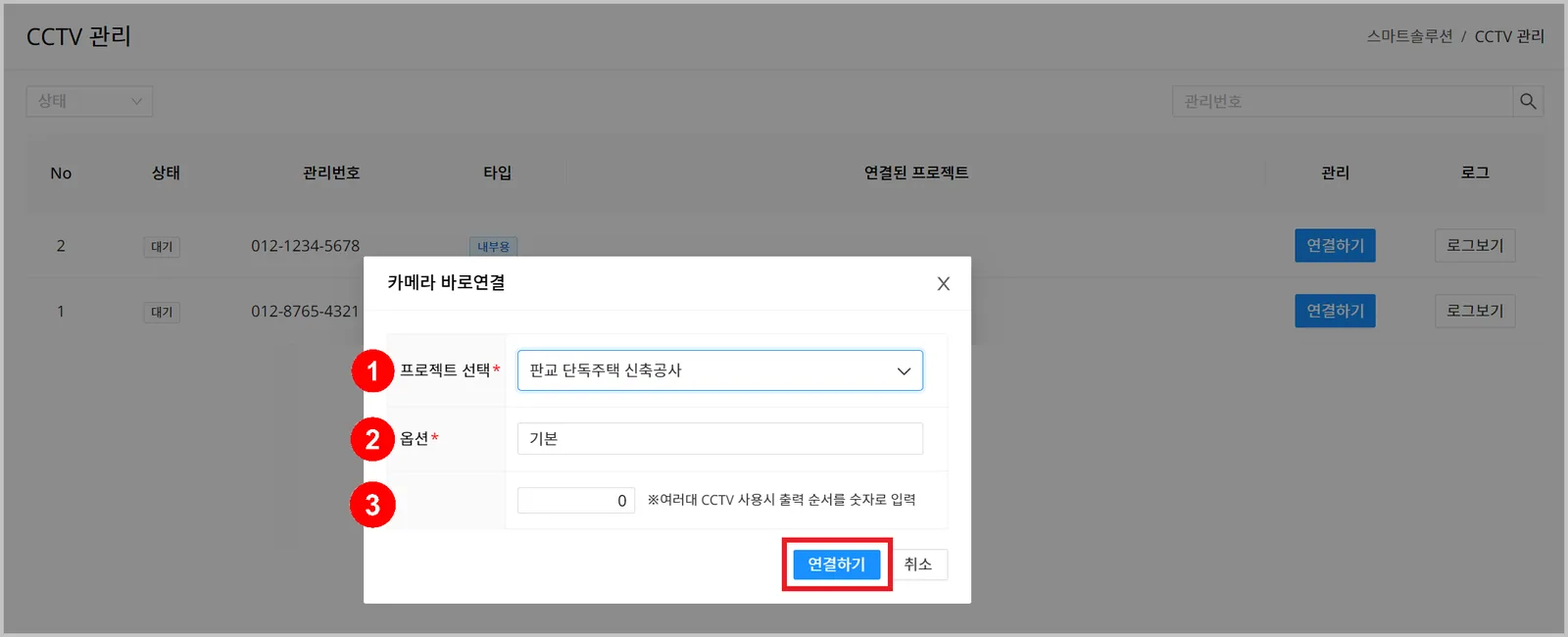
| Field | Description |
|---|---|
| ① Project selection | Select the project to connect the CCTV to |
| ② CCTV name | Enter a name that identifies the CCTV Examples: Kitchen, Living room, Bedroom |
| ③ CCTV number | Sets the CCTV display order ※ If you use several CCTVs, assign numbers to set the display order yourself (smaller numbers appear higher) |
Disconnecting a CCTV from a project
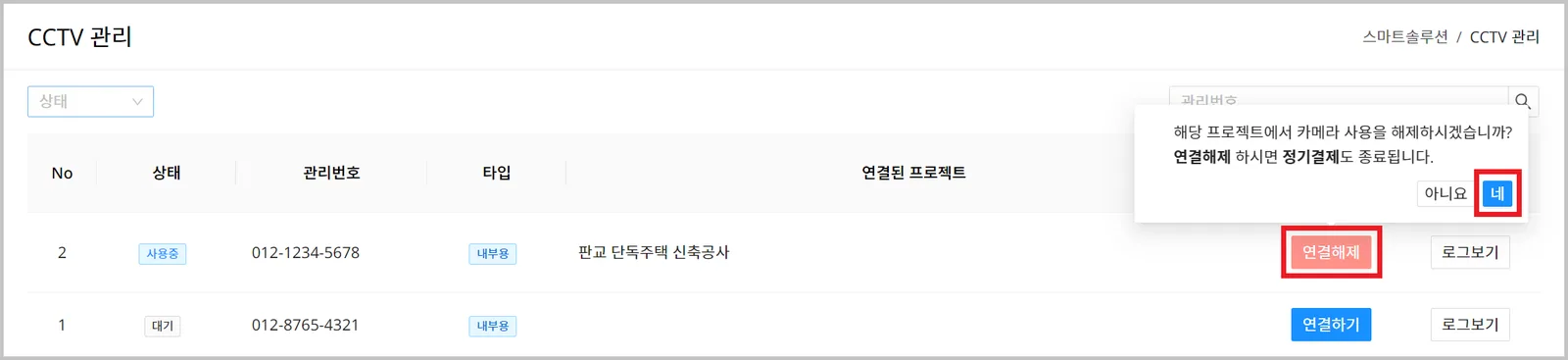
- You can disconnect a CCTV from a project in the Smart Solution > CCTV management menu.
- Click the [Dismissal] button for the CCTV to disconnect from the project, then click the [Yes] button.