Real-time Site CCTV
Last updated: 2023.4.14
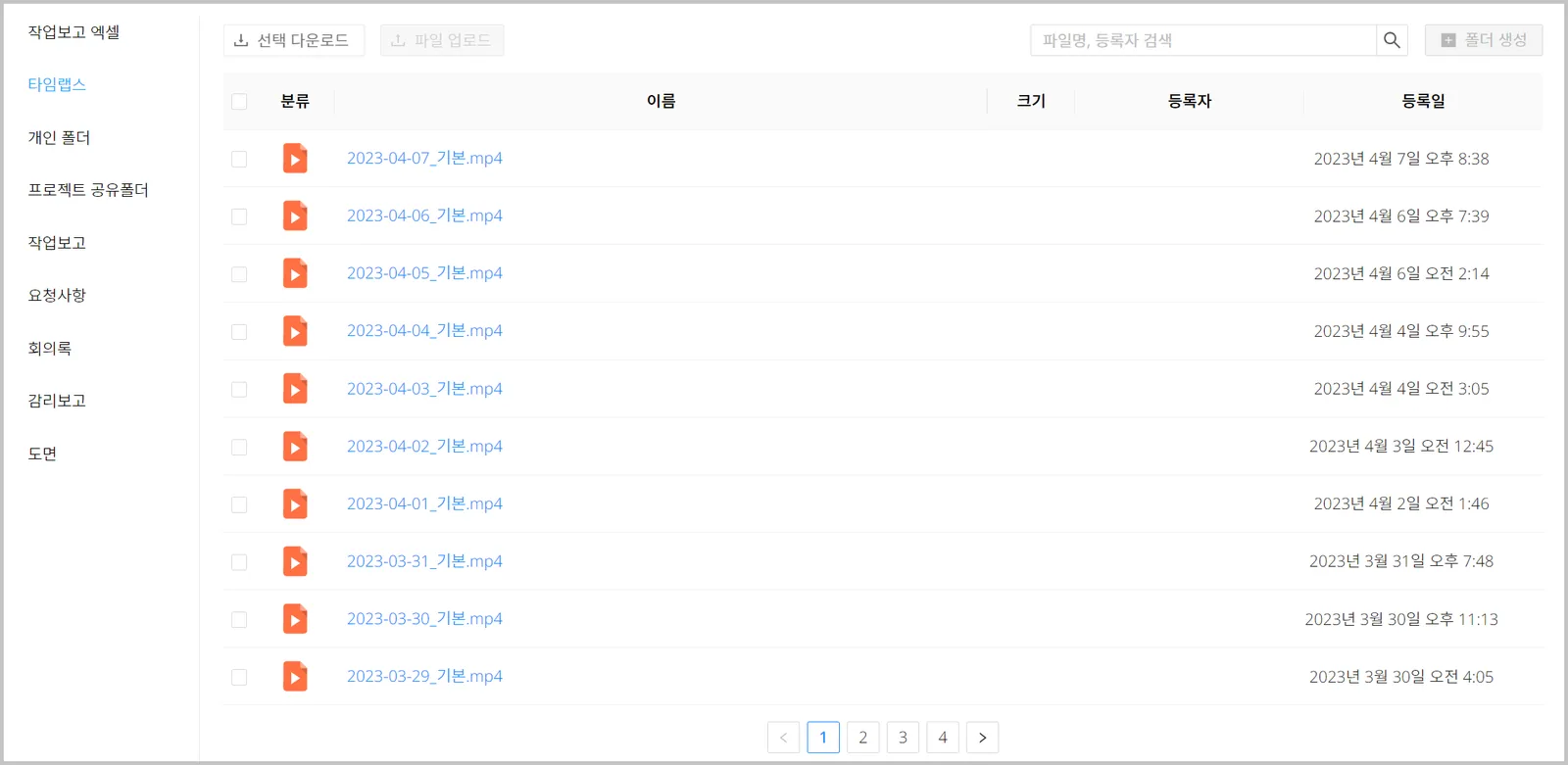
When you adopt CCTV, you can view site video in real time, and a timelapse that compresses each day's video into one minute is provided by default.
Deferred-payment companies that have an agreement with CaasWorks can click the  button at the top of the site to ask a CaasWorks system admin to order on their behalf.
Ordering CCTV
- You can order the product from the Smart Solution > Products menu. Go to order CCTV ➡️
- Click the 'Real-time Site CCTV' product.

- Enter the order settings, then click the [Product order] button.
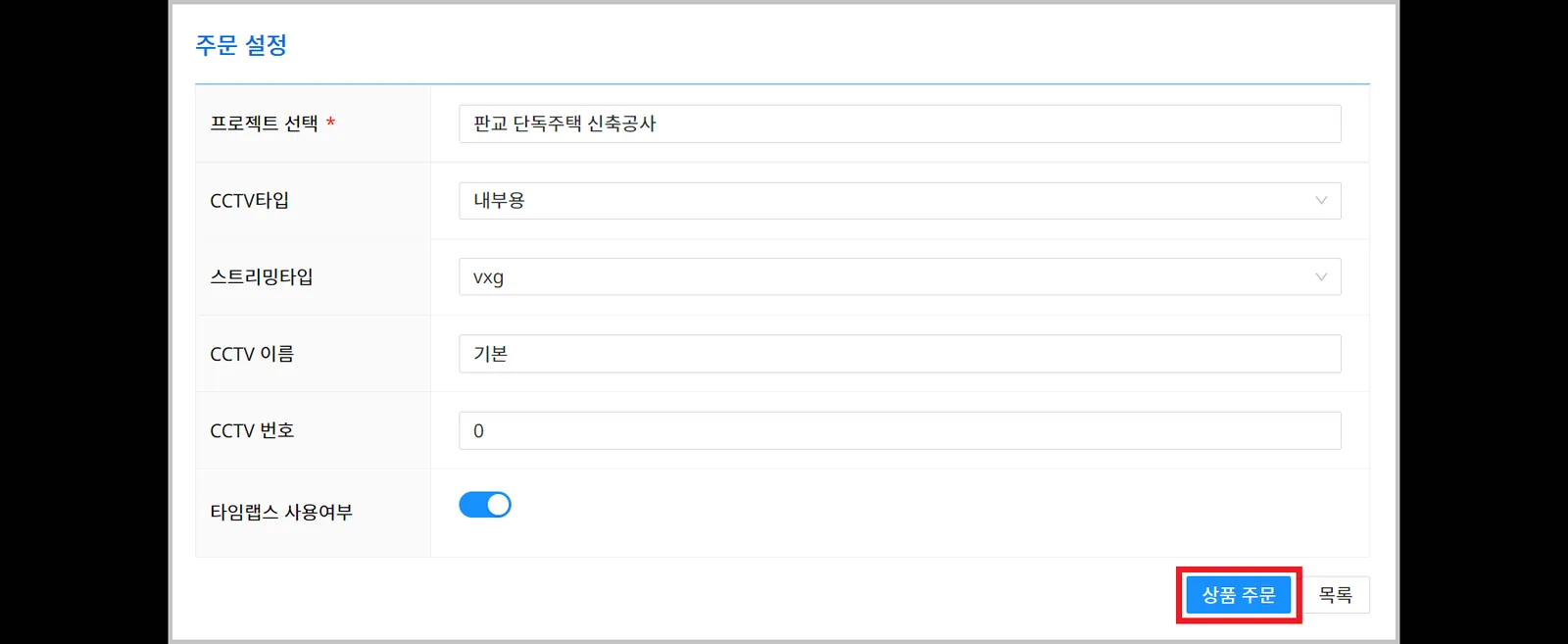
| Field | Description |
|---|---|
| ① Project selection | Select the project where the CCTV will be installed |
| ② CCTV type | Choose indoor or outdoor
|
| ③ CCTV name | Enter a name that identifies the CCTV Examples: Overview 1, Overview 2, 2F, Basement |
| ④ CCTV number | Sets the CCTV display order ※ If you ordered several CCTVs, assign numbers to set the display order yourself (smaller numbers appear higher) |
Viewing live CCTV video
You can view live site video in the Project > Dashboard menu.
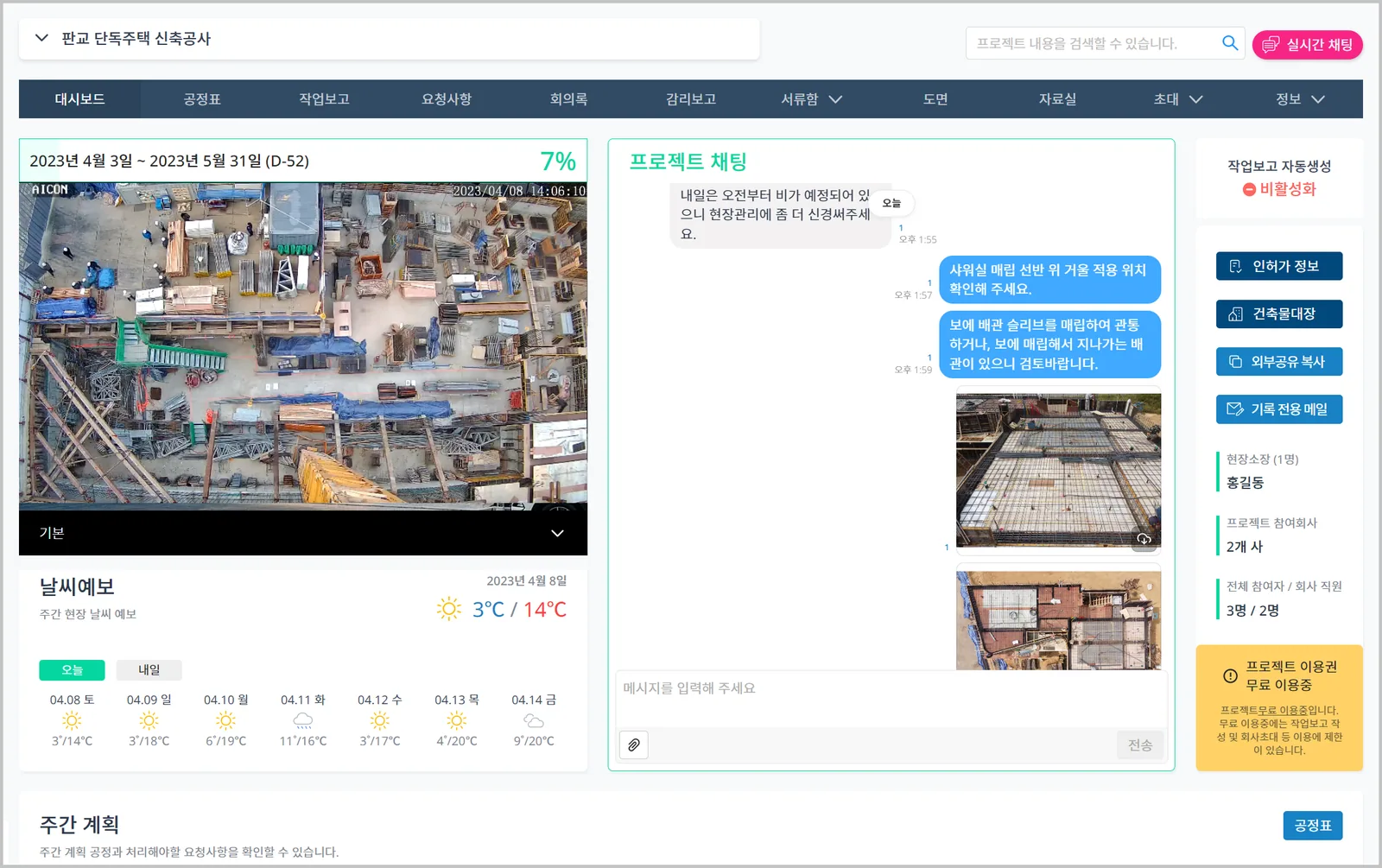
Viewing and downloading timelapses
- You can preview and download them from the timelapse folder in Project > Repository.
Timelapses are available in CaasWorks for one month after the CCTV end-of-use date. If you need the videos, we recommend downloading them in advance.